L-Switch User Manual 34 LOYTEC
Version 6.0 LOYTEC electronics GmbH
6.2 L-Switch XP as Configured CEA-709 Router
The L-Switch XP is designed to be compatible with standard CEA-709 routers, if operated
as configured CEA-709 router. Thus, it requires commissioning via a network management
tool (e.g. LonMaker) like any standard CEA-709 router to be fully functional.
Note: When shipped the L-Switch XP comes configured in smart switch mode. To use it as
CEA-709 compatible router changing the DIP-switches is required (see Section 2.4).
The L-Switch XP 2-Port can be installed with any network management tool like any other
standard CEA-709 router.
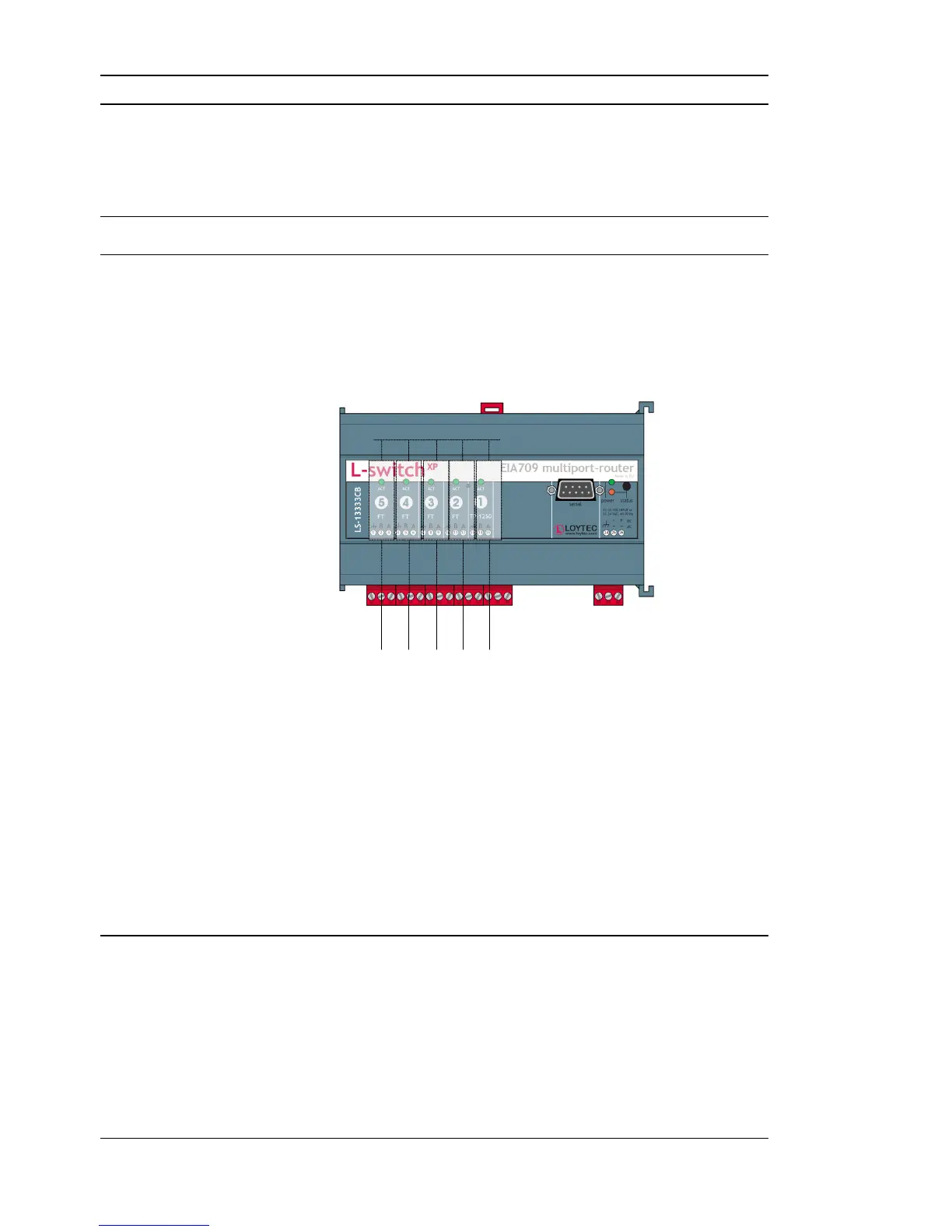
The L-Switch XP multi-port versions (3 to 5 ports) contain multiple standard CEA-709
routers – one for each port – and one internal TP-1250 backbone. The internal TP-1250 is
neither visible nor accessible.
Internal TP-1250 Backbone
Figure 24: Internal structure of a 5-Port L-Switch XP in configured CEA-709 router mode.
Each router must be commissioned separately. The port LEDs of unconfigured routers are
flashing green with a frequency of 1 Hz (once per second).
Pressing the status button longer than 2 seconds will allow you to select the port to sends
out the “Service Pin Message” message: The port LED of the currently selected port will
light up orange. After 2 seconds the next available port will be selected. When the status
button is released the “Service Pin Message” is sent out on the currently selected
port/router.
If an LNS based installation tool (e.g. LonMaker) is used, detailed instructions can be found
in application note AN006E “L-Switch XP and LNS” (see Section 9).
6.3 Wink action
When receiving a wink network management message all the port LEDs light up orange one
after the other back and forth three times (“scanner light”). At the end of this cycle the port
LED on which the wink command was received lights up three times.



 To Next Page