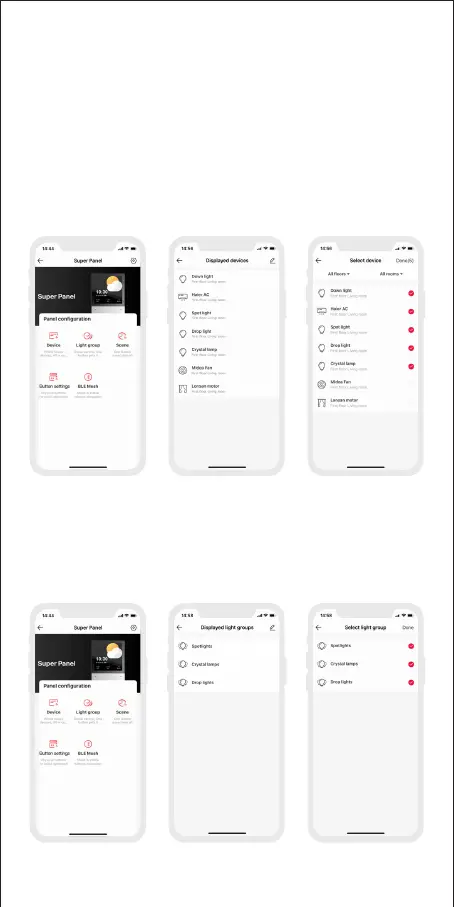
4. How to control lights, infrared appliances and other items
with Super Panel
Please refer to manuals of related products. Follow the prompts to add the devices
your want and access the Super Panel interface. Click “Device” and go to “Displayed
Devices” interface. Click the icon in the upper right corner, pick the devices your
want to control with the panel and save them. If you want to control bluetooth
devices, please connect the Super Panel to bluetooth network before you start to
bind home devices to the panel. Go to the Super Panel interface and click “Bluetooth
Configuration”. Then follow the prompts to configure the Super Panel t o bluetooth
network.
10
5. How to control light groups with Super Panel
Please refer to manuals of related products. Follow the prompts to add the
devices your want and group the same type of light together. Go to the Super
Panel interface and click “Light Group” to access “Displayed Light Groups”
interface. Click the icon in the upper right corner and pick the groups your want
to control with the panel.


 To Next Page