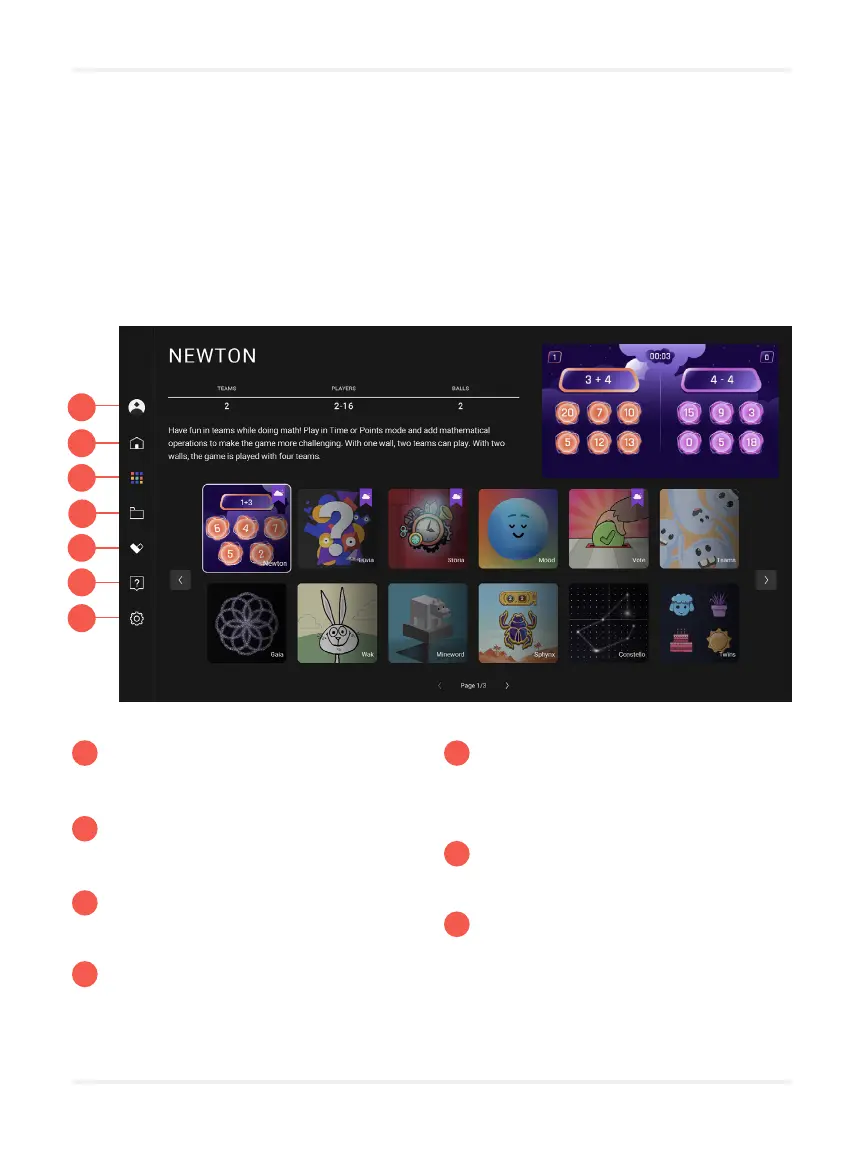
14
NAVIGATION
System
3
2
1
4
5
6
7
3
2
1
4
5
6
7
Account settings.
Home
Home page.
Applications
Find all of our activities here.
My content
Sign into your account to view
the content you created.
My favorite content
Sign into your account to view
your favorite content.
Help Center
Tutorial and technical support.
Settings
Access general settings of the
application.
It is possible to navigate the interface with the keyboard remote control, the pen of
your interactive whiteboard or directly with your ngers. Note that it is not possible
to scroll the screen with your ngers by sliding them. You have to use the arrows
or the joystick to move.


 To Next Page