16
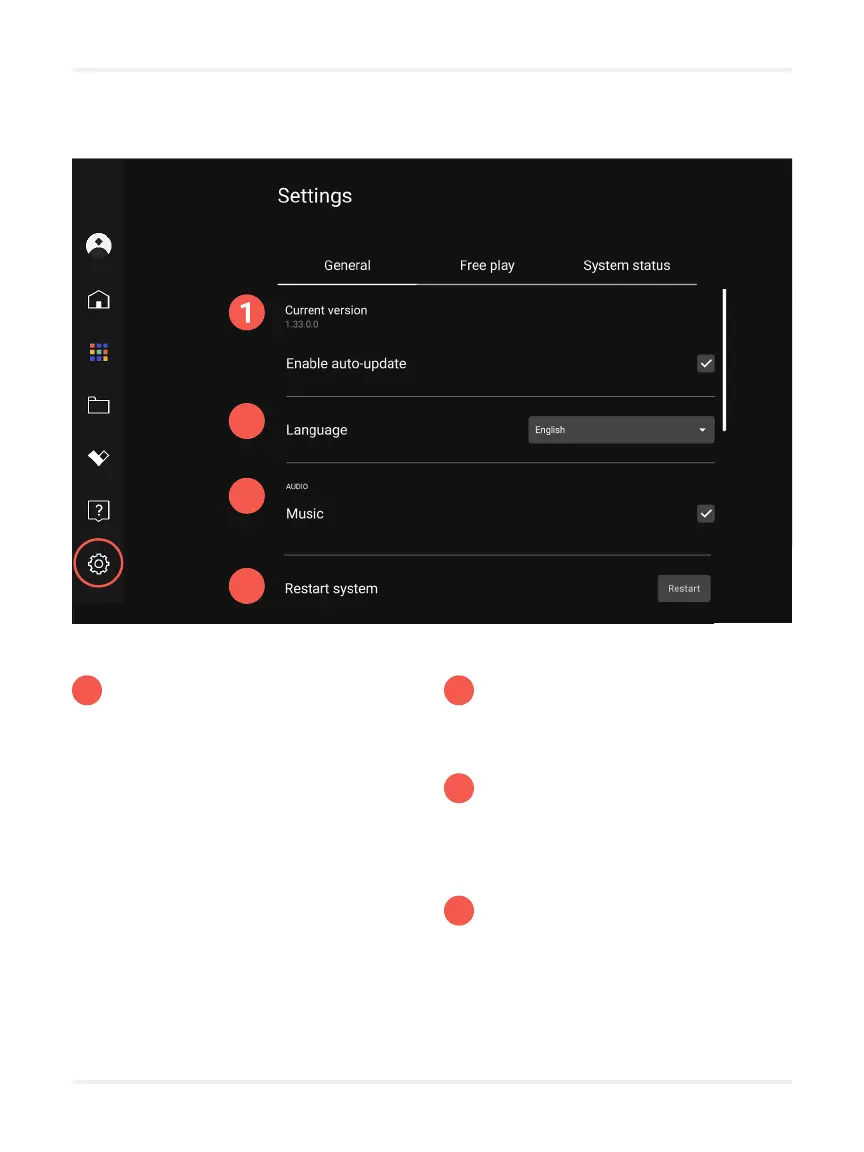
Settings
1
Current version
Allows you to determine if your
system is up-to-date. When a new
version of the system is available,
you can download it manually
or wait overnight for the system
to update automatically if the
”Enable automatic update” option
is checked.
You need an Internet connection to
update your system.
2
3
4
Language
Allows you to change the language
of the operating system.
Audio
Allows you to enable or disable
music and sound effects for
applications.
Restart the system
Allows you to restart the system
if you experience technical
diculties.
2
3
4



 To Next Page