7
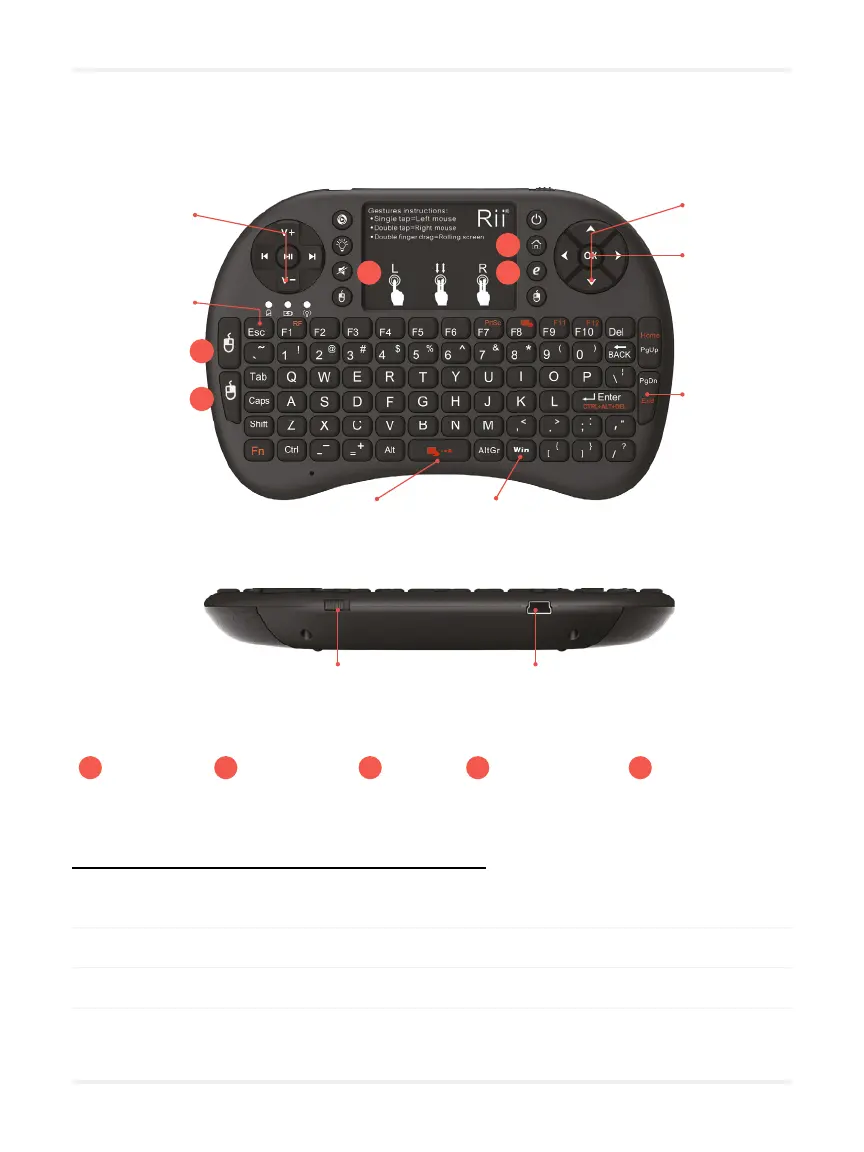
Keyboard remote
Volume
Pause / Start
ON / OFF switch USB charging port
Open Windows
taskbar
Move
selection
Select
button
Quit game +
OK to conrm
Conrm
the selection
and start the
game
1
2
3 4
5
1
Left click
2
Right click
3
Mute
4
Web browser
5
Open “Documents”
Advanced shortcuts with the keyboard remote
• Press « Win » to open Windows taskbar.
•
•
•


 To Next Page