5
INSTRUCTIONS
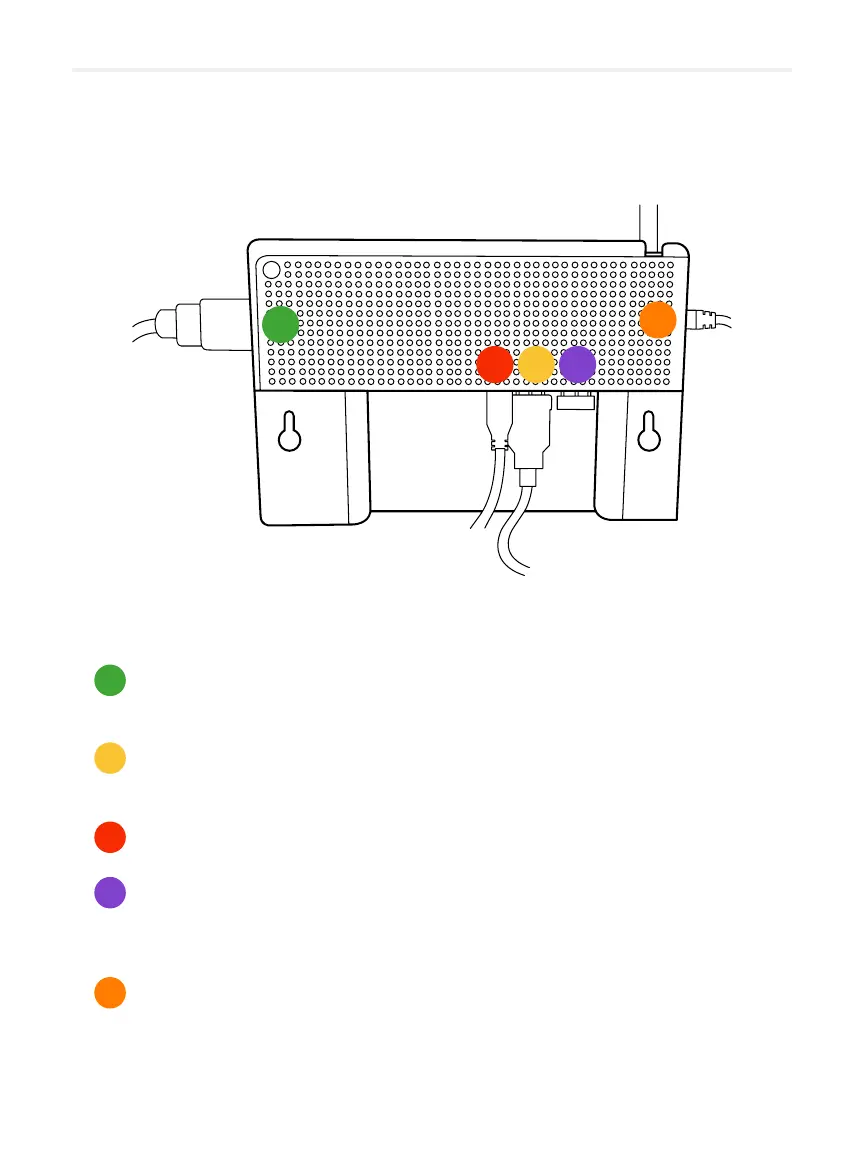
Connecting your Lü
01
A. HDMI cable
To project the image onto the interactive whiteboard.
B. The USB 2.0 or 3.0 cable
For the touchscreen feature of the interactive whiteboard.
C. The power cord
D. The USB receiver of the Rii keyboard remote
Make sure that the USB receiver of the keyboard remote control is
connected to the device.
E. The Ethernet cable
You have the choice between a Wi connection or a wired connection.
The wired connection will offer you a better quality connection and will be
more stable.
D
E
A
C
B
D
E
A
C
B


 To Next Page