2.0 Player
/ Operations Manual
30
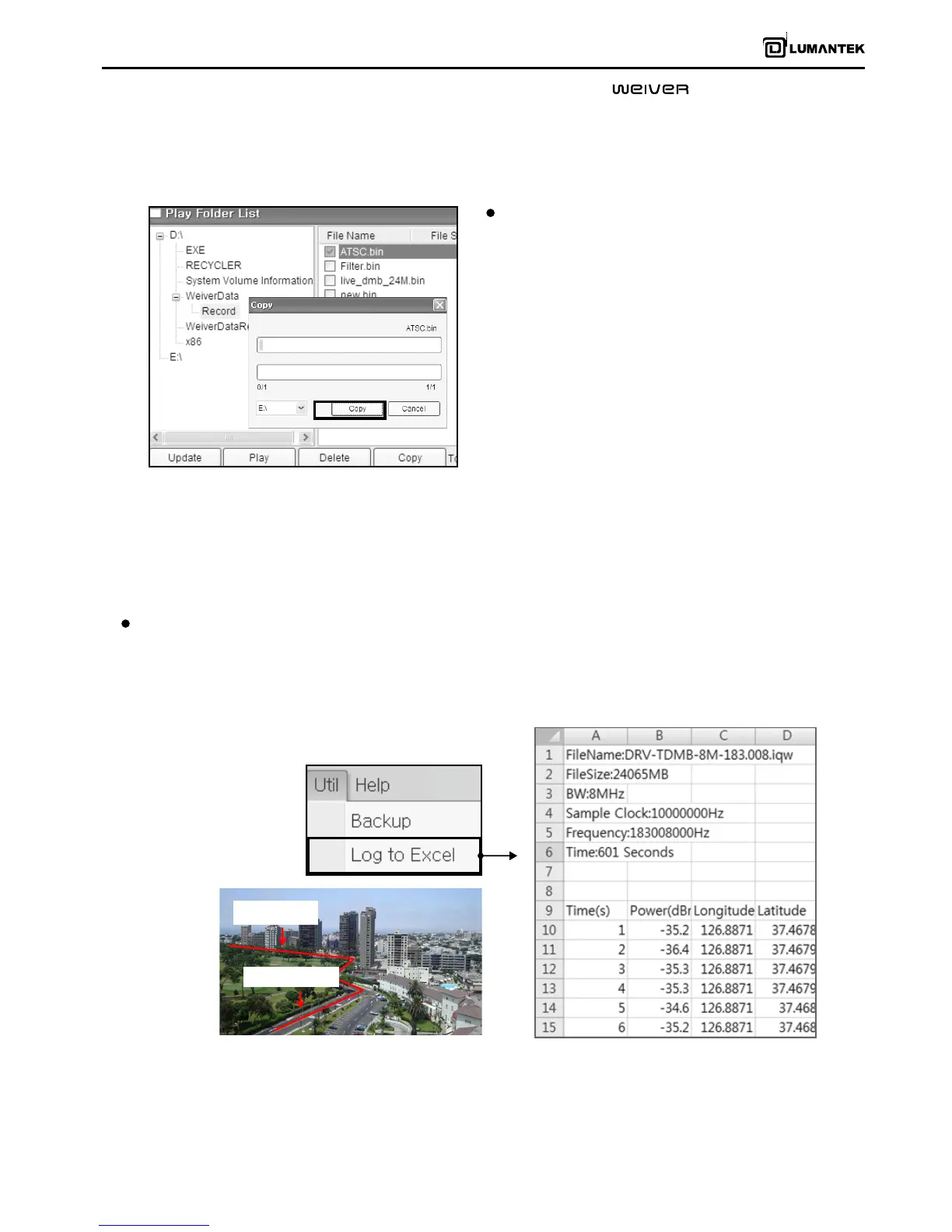
Log to Excel
Provides the functions of extracting information such as File Names, File Sizes, BW, Sample Clock, Frequency, Time, Time
Based Signal power, Time Based GPS Location, and saving them in form of excel les.
All raw data gained during eld testing can be harvested for documentation and reporting.
Backup
Default storage for captured data is in D: \ (D Drive).
When default internal storage reaches to the point
where remaining storage capacity is 2GB or less, it
automatically stops. To ensure continuous uninterrupted
data capture, a backup external storage device (e-SATA
SSD) must be enabled/connected.
[.xls format]


 To Next Page
 Loading...