2.0 Player
/ Operations Manual
52
4.8 / Weiver_EX Program Introduction
When the Weiver_EX program is initiated, the WEIVER unit is not yet connected. To proceed with connecting the
WEIVER 2.0 Player, follow the following sequence:
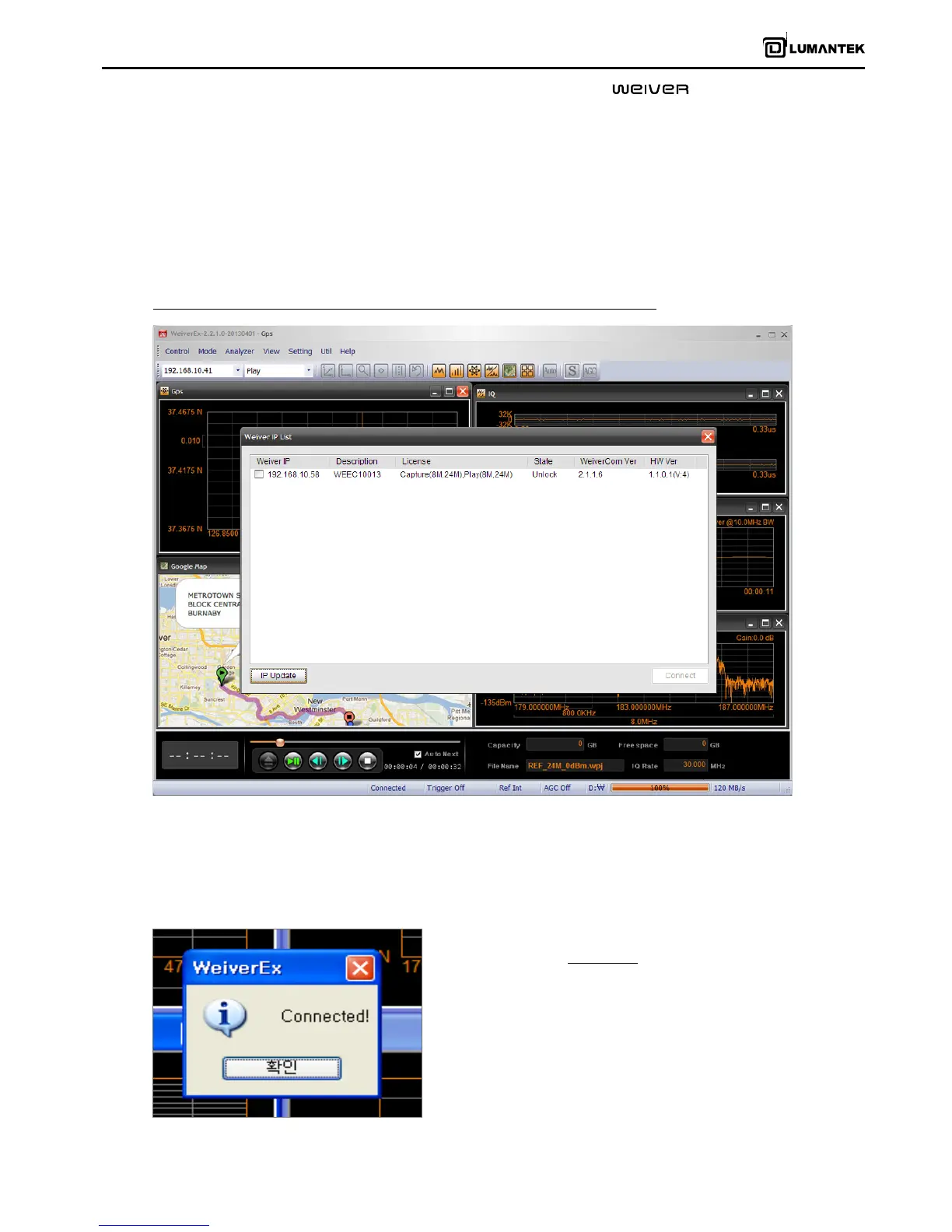
Select Main Menu -> Control-> Connect the device and search WEIVER 2.0 Player
To connect with WEIVER 2.0 Player, a separate WEIVER 2.0 Player IP List sub-window will appear.
There are various methods of connecting the WEIVER 2.0 Player. . To connect through IP, the subnet of the WEIVER 2.0
Player unit and control PC must be matched to connect for security purposes properly.
Once the WEIVER 2.0 Player has successfully connected another
window will display “Connected!”


 To Next Page
 Loading...