English-14
5.1.3 Using RTSP Player to View the Images
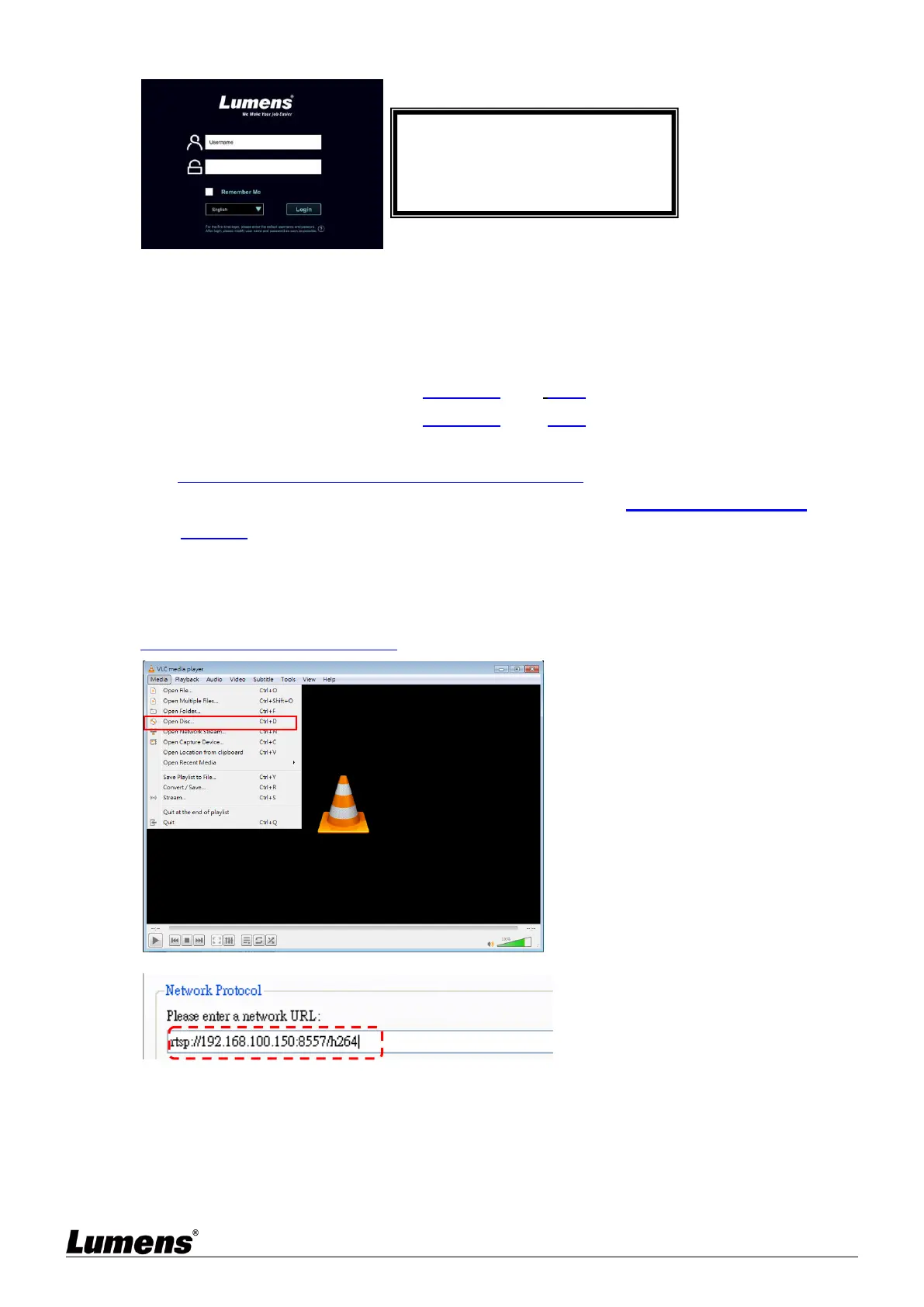
Free software can be used for RTSP connection, such as VLC, Quick Time and PotPlayer
RTSP connection address formats are as follows:
RTSP Sub1 Streaming => rtsp://camera IP:8557/h264
RTSP Sub2 Streaming => rtsp://camera IP:8556/h264
If password authentication is enabled, the RTSP connection address is as follows:
rtsp://Username:Password@VC IP address:port/h264
To enable password authentication function, please refer to5.2.8 System Setting -
Network
Example:
Open the VLC software, click [Open Network Streaming], and enter the URL:
rtsp://192.168.100.150:8557/h264


 To Next Page
 Loading...