EasyManua.ls Logo

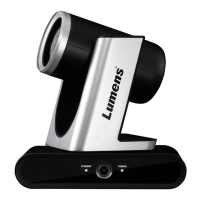
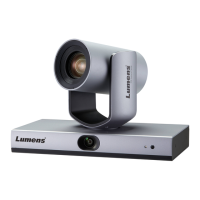
Lumens VC-TR40 - User Manual

Lumens VC-TR40
38 pages
Print Icon
To Next Page IconTo Next Page
Loading...
To download the latest version of Quick Start
Guide, multilingual user manual, software, or
driver, etc., please visit Lumens
https://www.MyLumens.com/support
VC-TR40/ VC-TR40N
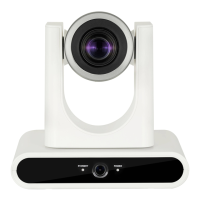
Auto Tracking Camera
(PTZ Video Camera)
User Manual - English
Version VXA101p
[Important]

Other manuals for Lumens VC-TR40

Questions and Answers

  • J
    Jessica KingAug 20, 2025
    Why the ONVIF software cannot find Lumens Security Camera?
    • K
      Kenneth LozanoAug 20, 2025
      If the ONVIF software is unable to locate your Lumens Security Camera, ensure that the [Camera ID] and [Location] fields under [System] > [Output] in the web page settings contain only English letters or numbers. Special characters and spaces in these fields can prevent the software from detecting the camera.
  • A
    Andrew TurnerAug 22, 2025
    What to do if Lumens Security Camera image is severely delayed?
    • A
      Amber JohnsonAug 22, 2025
      To resolve the issue of a severely delayed image from your Lumens Security Camera, switch to using 1080p or 720p at 60/50 fps instead of 25/30 fps signals.
  • L
    Lindsay RichardAug 25, 2025
    Why Lumens VC-TR40 does not save parameters after reboot?
    • K
      Kelly HallAug 25, 2025
      If your Lumens Security Camera fails to save parameters like PTZ or AWB after a reboot, check whether the Initial Position is set to Last MEM. You can find this setting in the Setting Menu under System - Initial Position, or on the web page under Live View-Setting–Camera Setting - PTZ - Initial Position.
  • J
    Jessica AbbottAug 26, 2025
    What to do if there is no image output from Lumens Security Camera?
    • Y
      ysandersAug 27, 2025
      If your Lumens Security Camera is not providing an image output, verify the following: * Check the power supply or PoE supply functions. * Confirm the output signals are in streaming output. * Ensure the camera resolution is compatible with the monitor equipment. * Replace the cables to rule out any faults.
  • L
    lrogersAug 28, 2025
    How to fix RS-232 control issues with Lumens Security Camera?
    • S
      sullivanbrianAug 28, 2025
      If the RS-232 cannot be controlled on your Lumens Security Camera, please check the following: 1. Confirm the connection is correct (RS-232 In/ Out). 2. Ensure the Baud rate setting is the same as the control equipment.
  • L
    Lawrence CooperAug 30, 2025
    How to troubleshoot Lumens VC-TR40 Security Camera that won't boot?
    • K
      kjohnsonAug 30, 2025
      If your Lumens Security Camera does not boot and shows no power signal: 1. Ensure the power cord is properly plugged in. 2. If using a PoE connection, verify that the power supply supports PoE (IEEE802.3af) hubs.
  • K
    kristin47Sep 1, 2025
    Why Lumens Security Camera VC-TR40 cannot be operated by remote control?
    • C
      Christopher RoseSep 1, 2025
      If you're having trouble operating your Lumens VC-TR40 Security Camera with the remote control, consider the following: Ensure the IR Select setting in the camera menu matches the Camera Select setting on the remote. Try replacing the remote's batteries. Prevent direct sunlight from shining on the VC-TR40. Keep energy-saving bulbs and IR touch screens as far away as possible to avoid interference. If multiple VC-TR40 cameras are in the same area, operating two remote controls simultaneously may cause signal interference; use only one remote control at a time.
  • L
    Lisa ChurchSep 3, 2025
    How to fix ONVIF software cannot find Lumens VC-TR40?
    • R
      rodriguezelizabethSep 3, 2025
      If the ONVIF software is unable to find your Lumens Security Camera, ensure that the [Setting] > [Video] > [Camera ID] / [Location] fields in the web page use only English letters or numbers. The ONVIF software cannot find the machine if you use special characters and space.
  • S
    selenajohnsonSep 5, 2025
    How to fix Lumens Security Camera RS-232 cannot be controlled?
    • C
      Christine LeSep 5, 2025
      If the RS-232 control isn't working for your Lumens Security Camera, first confirm that the connection is correct (RS-232 In/ Out). Also, make sure the Baud rate setting is the same as that of the control equipment.
  • E
    erin97Sep 7, 2025
    How to fix Lumens Security Camera boot without power signal?
    • J
      jennagatesSep 7, 2025
      If your Lumens Security Camera doesn't boot and shows no power signal, ensure that the power cord is properly plugged in. When using a PoE connection, verify that the power supply supports PoE (IEEE802.3af) hubs.

Lumens VC-TR40 Specifications

General IconGeneral
BrandLumens
ModelVC-TR40
CategorySecurity Camera
LanguageEnglish

Related product manuals