EasyManua.ls Logo

Lumens VC-A51S - User Manual

Lumens VC-A51S
38 pages
Print Icon
To Next Page IconTo Next Page
Loading...
English - 1
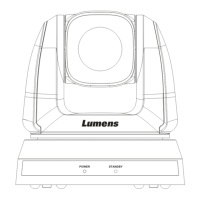
VC-A31S / VC-A51S
HD Camera
(PTZ Video Camera)
Installation Guide - English
[Important]
To download the latest version of Quick Start
Guide, multilingual user manual, software, or
driver, etc., please visit Lumens
http://www.MyLumens.com

Other manuals for Lumens VC-A51S

Questions and Answers

  • B
    brookemooreAug 7, 2025
    What to do if there is no image output from Lumens Security Camera VC-A51S?
    • M
      Michelle ThomasAug 7, 2025
      If there is no image output from your Lumens Security Camera VC-A51S, first check the power. Next, verify that the DIP switch is properly set. Ensure the display supports the output resolution, typically 1080p60/1080i60/720p60. Finally, replace the cables to rule out any faulty connections.
  • L
    Luke ContrerasAug 10, 2025
    Why my Lumens Security Camera VC-A51S cannot be operated by remote control?
    • M
      Marie BowmanAug 10, 2025
      If your Lumens Security Camera VC-A51S cannot be operated by remote control, confirm that the Camera Select on the remote control can be used together with the IR Select on the camera. Also, prevent the camera from direct sunshine. Ensure that energy-saving bulbs and IR touch screens are as far away as possible to avoid interference.
  • M
    Michelle SanchezAug 15, 2025
    What to do if Lumens Security Camera cannot be controlled with Codec?
    • M
      Michael MillerAug 15, 2025
      If the Lumens Security Camera cannot be controlled with a Codec, first consult the distributor to ensure the firmware is the latest version. To check the version: 1. Press [MENU] on the remote control. 2. Choose [Status]. 3. Go to Page 5 of [System]. 4. Verify the firmware version is correct. Also, ensure the connection is correct (RS-232/422 Input) and confirm the OSD menu [System]/[Control Protocol] setting.
  • K
    Keith WilsonAug 19, 2025
    How to fix Lumens VC-A51S if it cannot be controlled with RS-232/RS422?
    • J
      jameswrightAug 20, 2025
      If the Lumens Security Camera cannot be controlled with RS-232/RS422, make sure the connection is correct (RS-232/422 Input). Also, confirm the OSD menu [System]/[Control Protocol] setting.
  • D
    David MccoyAug 25, 2025
    Why is my Lumens Security Camera VC-A51S image severely delayed?
    • N
      Natalie JonesAug 25, 2025
      If the VC-A51S image from your Lumens Security Camera is severely delayed, use 1080p or 720p 60/50 Hz signals rather than 25/30 Hz signals.
  • C
    Charles BennettAug 28, 2025
    What to do if Lumens VC-A51S is not working after changes to DIP Switch setting?
    • D
      David Sullivan DDSAug 28, 2025
      If your Lumens Security Camera is not working after changes to the DIP Switch setting, unplug and reconnect the power cord and turn the machine on to change the setting.
  • J
    Jack FaulknerSep 1, 2025
    How to fix Lumens VC-A51S Security Camera that won't boot without power signal?
    • M
      Ms. Nicole CamposSep 1, 2025
      Make sure you have plugged in the power cord to your Lumens Security Camera.

Lumens VC-A51S Specifications

General IconGeneral
Sensor TypeCMOS
Power SupplyDC 12V
Video OutputHDMI
Network ProtocolsDHCP
Minimum Illumination0.5 lx (F1.6, 50IRE)
Shutter Speed1/30s to 1/10000s
Day/NightYes
S/N Ratio50 dB

Related product manuals