
EasyManua.ls Logo

Lumens VC-A51SB - User Manual

Lumens VC-A51SB
41 pages
Print Icon
To Next Page IconTo Next Page
Loading...
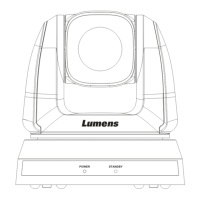
VC-A50S
PTZ Video Camera
Installation Guide - English
[Important]
To download the latest version of Quick Start
Guide, multilingual user manual, software, or
driver, etc., please visit Lumens
http://www.MyLumens.com

Questions and Answers

  • R
    Randy NguyenAug 8, 2025
    What to do if my Lumens Security Camera cannot be operated by remote control?
    • M
      Michael RomanAug 9, 2025
      If your Lumens Security Camera cannot be operated by remote control, first ensure that the Camera Select on the remote is compatible with the IR Select on the VC-A50S. Also, prevent the VC-A50S from being in direct sunlight. Keep energy-saving bulbs and IR touch screens as far away as possible to avoid interference. If multiple VC-A50S units are in the same area, operating two remote controls simultaneously may cause signal interference; using only one remote control is recommended.
  • S
    Shawn HughesAug 13, 2025
    What to do if my Lumens Security Camera is not working after changes to DIP Switch setting?
    • P
      Paul CooperAug 13, 2025
      If your Lumens Security Camera is not working after changes to the DIP switch setting, unplug and then reconnect the power cord. Then, turn the camera on to apply the new setting.
  • M
    millsvictoriaAug 17, 2025
    What to do if there is no image output from Lumens Security Camera VC-A50S?
    • T
      Tammy Strong MDAug 17, 2025
      If there is no image output from your Lumens Security Camera VC-A50S, check the power supply first. Then, check if the DIP switch is properly set. Ensure that the display supports the output resolution, generally 1080p60/1080i60/720p60. Finally, replace the cables to make sure they are not faulty.
  • L
    lnicholsAug 21, 2025
    What to do if Lumens Security Camera cannot be controlled with RS-232/RS422?
    • M
      Melissa DunlapAug 21, 2025
      If the device cannot be controlled with RS-232/RS422, ensure the connection is correct (RS-232/422 Input) and verify that System Switch DIP1 and DIP3 are correctly configured.
  • M
    Michelle RasmussenAug 26, 2025
    Why is the Lumens Security Camera VC-A50S image severely delayed?
    • M
      melissa65Aug 26, 2025
      To resolve severe delays in the VC-A50S image, use 1080p or 720p 60/50 Hz signals rather than 25/30 Hz signals.
  • A
    Alexander HarrisonAug 29, 2025
    What to do if my Lumens Security Camera device cannot be controlled with Codec?
    • Z
      zrodriguezAug 29, 2025
      If the device cannot be controlled with Codec, consult the distributor to ensure that the firmware version is the latest. To check the version: 1. Press [MENU] on the remote control. 2. Choose [Status]. 3. Go to Page 5 of [System]. 4. Make sure the firmware version is correct. Also, ensure the connection is correct (RS-232/422 Input) and that System Switch DIP1 and DIP3 are correct.
  • A
    Angela LoveSep 3, 2025
    How to fix Lumens Security Camera if it doesn't boot without power signal?
    • J
      joannerogersSep 3, 2025
      If your Lumens Security Camera doesn't boot and shows no power signal, ensure that the power cord is properly plugged in and that the Service DIP switch is set to Off.

Lumens VC-A51SB Specifications

General IconGeneral
BrandLumens
ModelVC-A51SB
CategorySecurity Camera
LanguageEnglish

Related product manuals











