EasyManua.ls Logo

Lumens VC-A50PW - User Manual

Lumens VC-A50PW
42 pages
Print Icon
To Next Page IconTo Next Page
Loading...
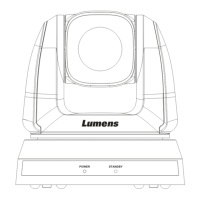
VC-A50P
PTZ Video Camera
Installation Guide - English
[Important]
To download the latest version of Quick Start Guide,
multilingual user manual, software, or driver, etc.,
please visit Lumens
http://www.MyLumens.com/

Questions and Answers

  • A
    Amy VasquezAug 19, 2025
    What to do if there is no image output from Lumens VC-A50P Camcorder?
    • J
      jsantiagoAug 19, 2025
      If there's no image output from your Lumens VC-A50P Camcorder, first, check the power. Then, verify that the DIP switch is set correctly. Ensure your display supports the output resolution, typically 1080p60/1080i60/720p60. Finally, try replacing the cables to rule out any faults.
  • L
    laurie93Aug 21, 2025
    How to fix Lumens Camcorder if it doesn't boot without power signal?
    • P
      Paul RossAug 21, 2025
      If your Lumens Camcorder doesn't boot and shows no power signal, ensure the power cord is properly plugged in. Also, verify that the Service DIP switch is in the Off position. When connecting via PoE, confirm that the terminal point is a hub supporting IEEE 802.3at.
  • C
    Carolyn AndersonAug 25, 2025
    What to do if Lumens VC-A50P Camcorder cannot be operated by remote control?
    • A
      Alexandra SampsonAug 25, 2025
      If your Lumens VC-A50P Camcorder cannot be operated by remote control: * Confirm if the Camera Select on the remote control is compatible with the IR Select on the VC-A50P. * Prevent direct sunlight exposure to the VC-A50P. * Keep energy-saving bulbs and IR touch screens as far away as possible to minimize interference. * If multiple VC-A50P units are in the same area, using only one remote control at a time is recommended to avoid signal interference.
  • Z
    zpattersonAug 26, 2025
    Why Lumens Camcorder not working after changes to DIP Switch setting?
    • J
      Johnny DavisAug 26, 2025
      If your Lumens Camcorder is not working after changing the DIP switch settings, unplug the power cord, reconnect it, and then turn the machine on. This will apply the new settings.
  • S
    Suzanne SmithAug 28, 2025
    What to do if Lumens Camcorder cannot be controlled with Codec?
    • P
      Paul DoyleAug 28, 2025
      If the Lumens Camcorder cannot be controlled with Codec, first, consult your distributor to ensure the firmware is up to date. To check the firmware version: press [MENU] on the remote, choose [Status], go to Page 5 of [System], and verify the firmware version. Also, ensure the connection is correct (RS-232/422 Input) and that System Switch DIP 1 and DIP 3 are correctly set.
  • C
    Clinton BrownAug 30, 2025
    Why Lumens Camcorder cannot be controlled with RS-232/RS422?
    • K
      Kevin LevyAug 30, 2025
      If you cannot control the Lumens Camcorder with RS-232/RS422, ensure the connection is correct for RS-232/422 Input. Also, verify that System Switch DIP 1 and DIP 3 are correctly set.
  • S
    Stacey PierceSep 1, 2025
    How to fix severely delayed image on Lumens VC-A50P Camcorder?
    • K
      Katie NewmanSep 1, 2025
      If the Lumens VC-A50P Camcorder image is severely delayed, use 1080p or 720p 60/50 Hz signals instead of 25/30 Hz signals.
  • E
    Edward GarciaSep 3, 2025
    What to do if my Lumens Security Camera VC-A50P cannot be operated by remote control?
    • K
      Kristin BlackSep 3, 2025
      If your VC-A50P camera isn't responding to the remote control, consider these potential solutions: * Verify that the Camera Select on the remote is compatible with the IR Select setting on the VC-A50P. * Ensure that the VC-A50P is not exposed to direct sunlight. * Keep energy-saving bulbs and IR touch screens away from the camera to minimize interference. * If multiple VC-A50P cameras are in use, operating several remote controls simultaneously can cause signal interference. Try using only one remote control.
  • N
    Natalie AndersonSep 5, 2025
    What to do if there is no image output from Lumens VC-A50PW VC-A50P?
    • S
      Shannon LeeSep 5, 2025
      If you're not getting any image output from your VC-A50P, here are a few things to check: * First, verify that the power is on. * Next, check the DIP switch settings to make sure they are correct. * Confirm that your display supports the output resolution (typically 1080p60, 1080i60, or 720p60). * Finally, try replacing the cables to rule out any faulty connections.
  • C
    chenmariaSep 7, 2025
    Why is my Lumens VC-A50PW Security Camera not working after changes to DIP Switch setting?
    • T
      tarabuckleySep 7, 2025
      If your device isn't working after you've changed the DIP switch settings, unplug the power cord, reconnect it, and then turn the machine on. This will apply the new settings.

Lumens VC-A50PW Specifications

General IconGeneral
Sensor TypeCMOS
PowerDC 12V
Resolution1080p
Video OutputHDMI
Video Output Resolutions1080p
Day/NightYes
Video CompressionH.264
WeatherproofNo
Low Light Performance0.5 Lux @ F1.2

Related product manuals