English - 24
Chapter 6 Descriptions of Major Functions
6.1 I would like to switch to VC-A50P
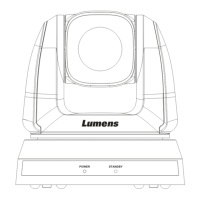
1. Press [Camera 1 ~ 3] on the remote control to select VC-A50P.
Camera 1 ~ 3 is selected with IR SELECT.
6.2 I would like to save the current lens position data
1. Hold [Preset + ID] on the remote control to save the current position data.
ID shall be a digit [0 ~ 9].
Use VISCA Command to store position data to [0 ~ 127]
6.3 I would like to clear the saved position data
1. Hold [Reset + ID] on the remote control to clear the given position data.
ID shall be a digit [0 ~ 9].
Use VISCA command to clear position data stored in [0 ~ 127]
6.4 I would like to turn on the back light compensation function
1. Press [Back Light] on the remote control to turn on or turn off the back light compensation
6.5 I would like to adjust the shooting angle of the lens
1. Press [Tilt ] or [Tilt ] on the remote control to adjust the angle upward or downward.
2. Press [Pan ] or [Pan ] on the remote control to adjust the angle to right or left.
3. Press [Pan - Tilt Reset] on the remote control to reset the angle to the center point.
6.6 I would like to zoom in/out images
6.6.1 Adjust image size
1. Press [Fast +] on the remote control to zoom in images.
2. Press [Fast -] on the remote control to zoom out images.
6.6.2 Fine-tune image size
1. Press [Slow +] on the remote control to zoom in images.
2. Press [Slow -] on the remote control to zoom out images.
6.7 I would like to adjust the focal length
6.7.1 Auto tune
1. Press [AF] on the remote control to adjust automatically.
6.7.2 Manual focus
1. Press [MF] on the remote control to turn on the manual focus function.
2. Press Focus - [+] or Focus - [-] to adjust.
6.8 I would like to adjust the AF speed
6.8.1 Adjust the AF Sensitivity
Triggering speed of focus. The higher the speed is, the faster focus is triggered



 To Next Page
 Loading...