English - 23
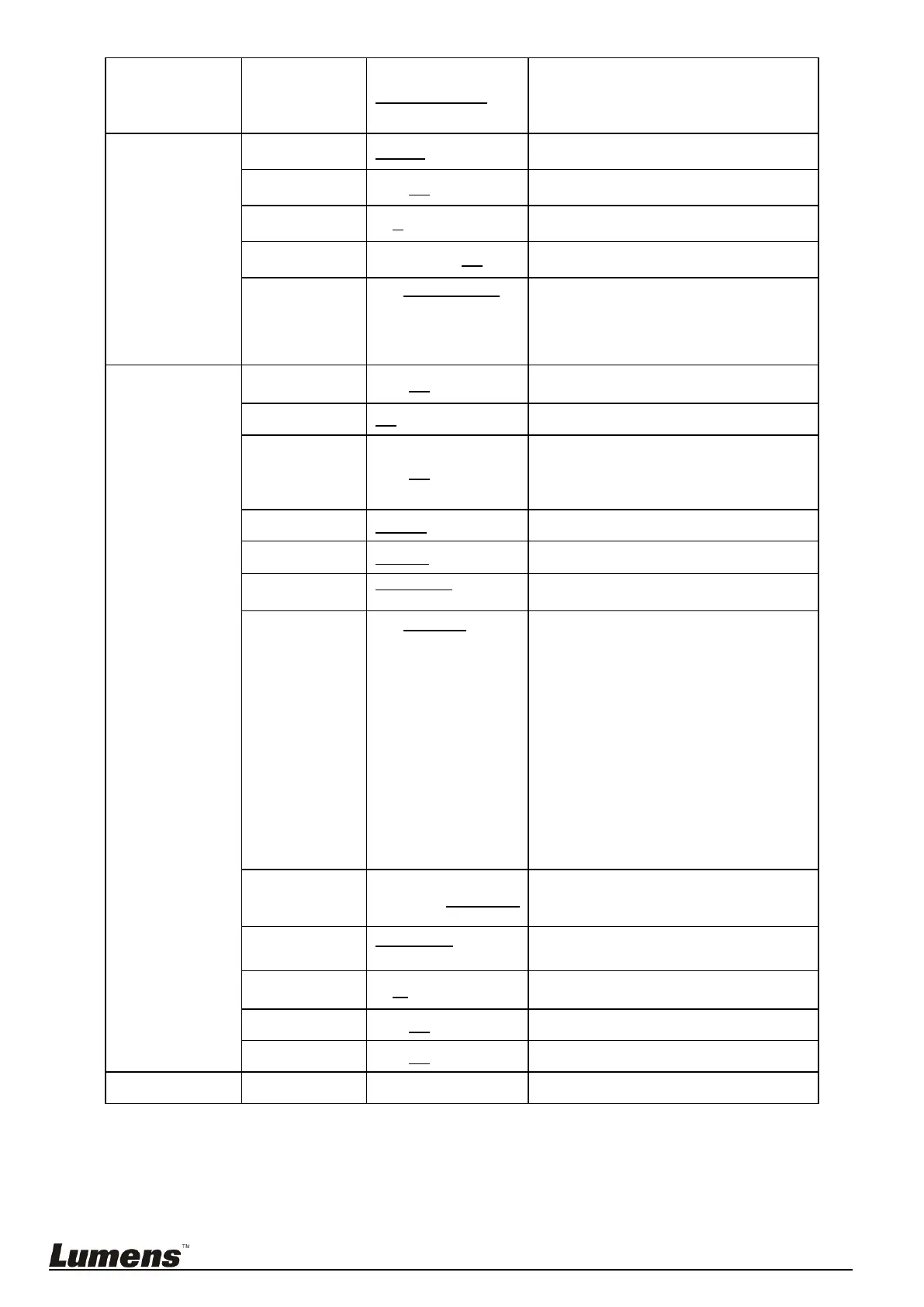
Press [ENTER] to modify the items;
select the item to be modified using left
and right arrow keys, and modify the
value using numeric keys.
1. 48 KHz (AAC)
2. 44.1 KHz (AAC)
3. 16 KHz (G.711
4. 8 KHz (G.711)
Set the encode type and sample rate
SDI supports the audio output of 48
KHz only.
Turn on/off the prompt information on
the display
Turn on/off the infrared reception
When the function is enabled, the
screen will Freeze when Preset is
executed. Freeze will be released after
Preset is completed.
Turn on/off the Tally Mode
1. 1080p/60
2. 1080p/59.94
3. 1080p/50
4. 1080p/30
5. 1080p/29.97
6. 1080p/25
7. 1080i/60
8. 1080i/59.94
9. 1080i/50
10. 720p/60
11. 720p/59.94
12. 720p/50
Control Device setting
Controller: Used as a joystick
Encoder: Used for tracking system
Protocol V: VISCA
Protocol PD: PELCO D
The Protocol set to PD allows the
camera ID address to be assigned
Resume the factory default setting
Display the current setting status



 To Next Page
 Loading...