Measurement Procedure
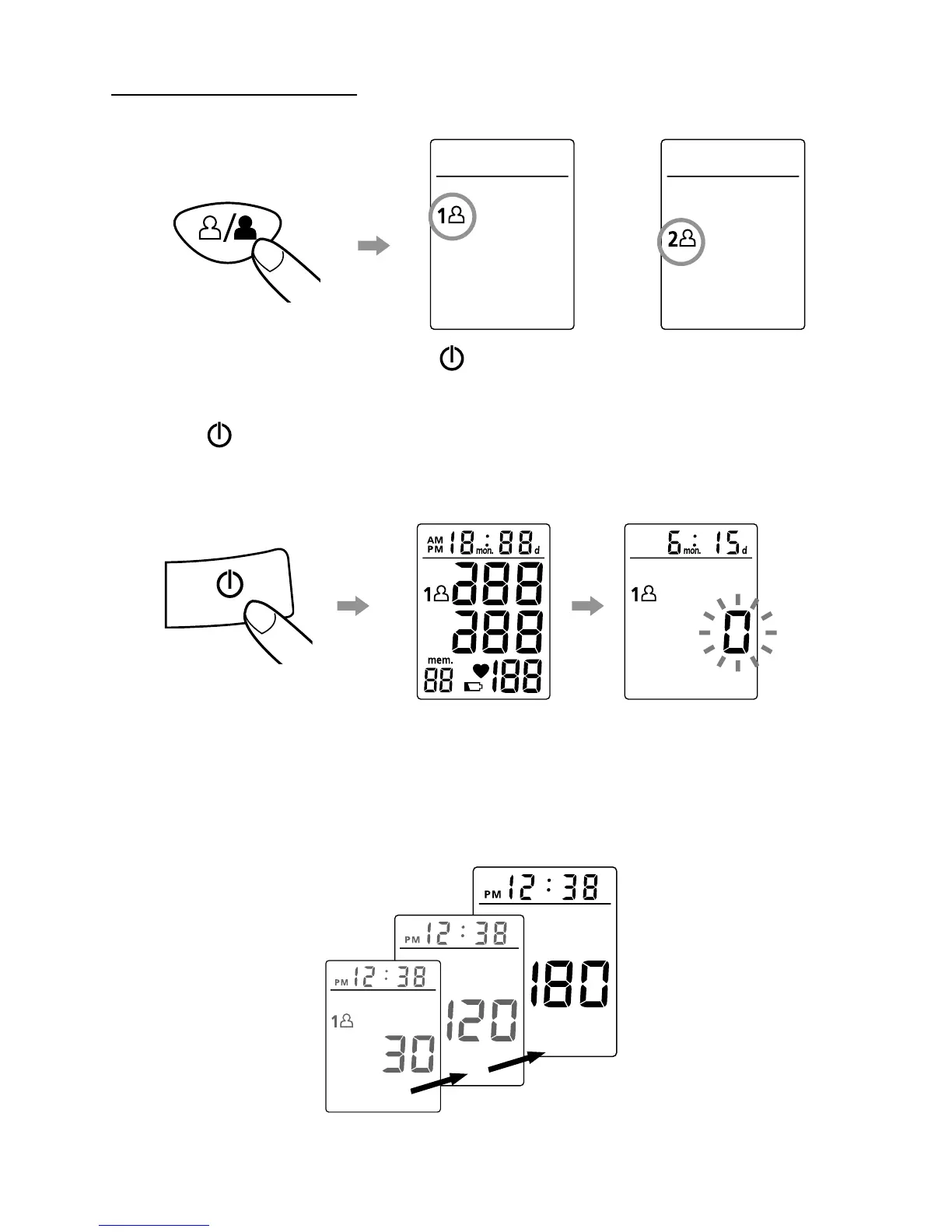
1. Press the User-Switching key to select Memory Zone 1 or Memory Zone 2.
After a memory zone is selected, press the button to reset the monitor so it can start
measurement in the chosen memory zone.
2. Press the button. All digits will light up, checking the display functions. The checking
procedure will be completed after about 2 seconds.
3. After all symbols appear, the
display will show a blinking “0”. The monitor is now ready to measure and will automatically
inflate the cuff slowly to start measurement.
8
or


 To Next Page
 Loading...