4.0 Using the Controller Menus
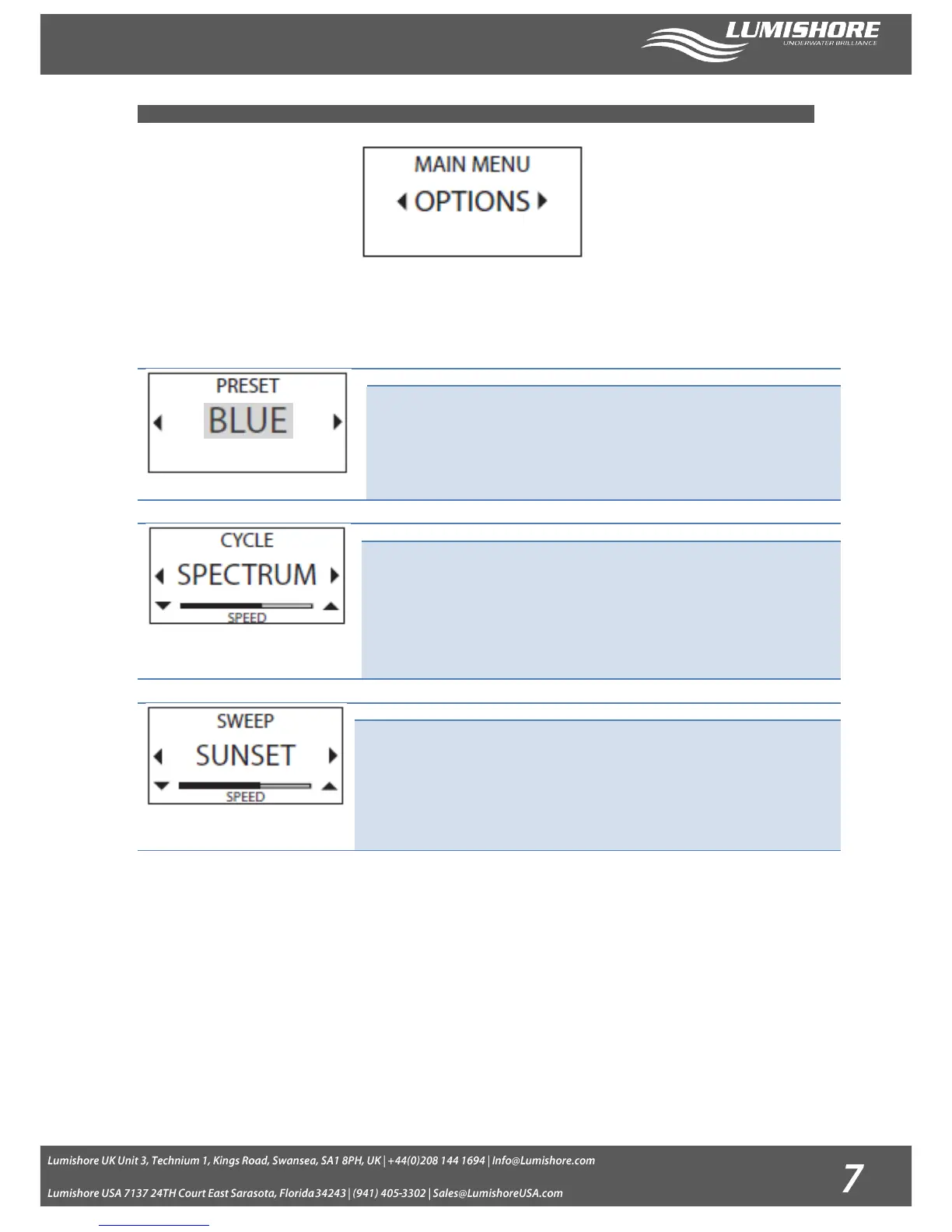
Use the right and left arrows to move between the main menu screens. Press the Select button to make your selection. Use
the up / down arrows to adjust any settings required.
Using the left or right arrow button, scroll through the stored colors, selecting a
preset color will turn all lights to that color.
· Presets available: Blue, Green, Red, White, Cyan, Magenta, Sky and Lime
The centre of the icon will change become highlighted to indicate that this mode is
currently active.
All Lights cycle through the selected color modes;
· Spectrum – Full Color Spectrum
· Ice blues – Whites, Blues and Greens
· Sunset – Reds and Ambers
· Miami – Blues and Reds
Press the select button to start the cycle, use the up and down arrows to adjust the
speed of cycle.
Individual lights will sweep through the selected spectrum creating dynamic moving
lighting effects. Choose from:
· Ice blues – Whites, Blues and Greens
· Sunset – Reds and Ambers
· Miami – Blues and Reds
Press the select button to start the sweep, use the up and down arrows to adjust the
speed of sweep.


 To Next Page