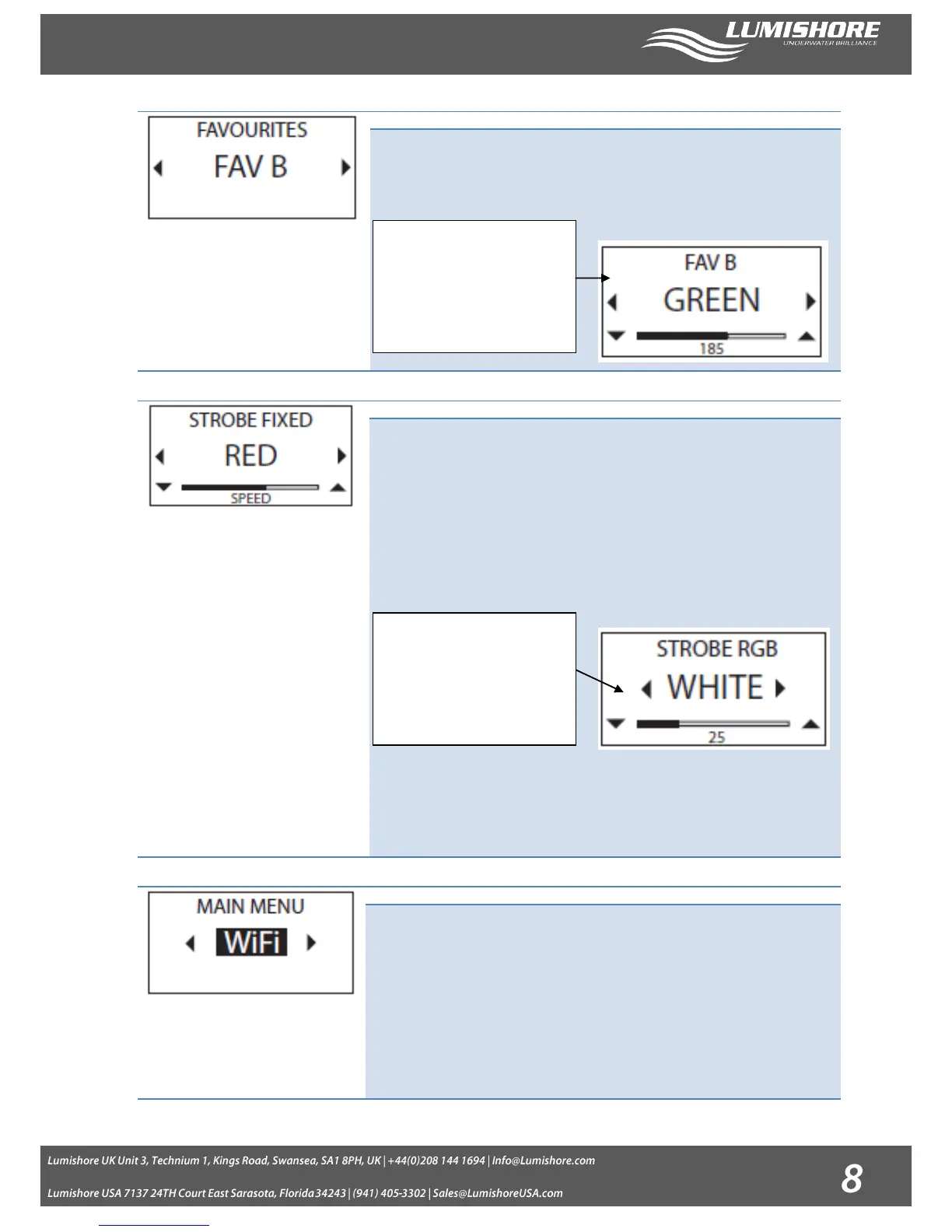
Up to 6 favourite colors can be “fine tuned” and stored by the controller for future
selection. Use the right / left arrows to move through the different favourite colors.
Press the Select button to switch the color on. Press and HOLD the select button for 2 seconds
to enter the adjustment screens where the Red, Green, Blue and White color
balance can be adjusted and saved.
All lights will flash with the selected color.
Preset Strobe colors available: Blue, Green, Red and White.
The strobe can be set to a fixed or random frequency, use the left / right arrows to
select. Adjustments to speed can be made whilst the light is operating using the up
and down arrows.
Selecting the RGB option allows you to set a custom custom strobe color. Pressing
the select button for 2 seconds will open a new page where the Red, Green, Blue or
White color balance can be adjusted. Save the color by pressing the select button
once changes are complete. The Controller will remember this color for future use.
Find the WiFi screen on the main menu and press the select button. The WiFi will
take a few seconds to activate and connect. A box will appear around the WiFi when
the system is active.
Using wifi mode allows you to control your lights using an iPhone, or iPad via the
Lumishore App, or by using a third party DMX software such as “Luminair” or “Alcorn
McBride inc LightingPad”
Note: For this mode to function the iPhone or iPad will need to be set up first. See
section iPad / iPhone setup. The inbuilt wifi will only function when wifi mode is
activated, returning from this menu and selecting another mode will switch the inbuilt
wifi off.
Use the left / right arrows to
change the color to adjust. Use
the up / down arrows to adjust
the brightness of the color. Note:
Press and HOLD the up / down
arrows for 2 seconds for quick
adjustment
Use the left / right arrows to
change the color to adjust. Use
the up / down arrows to adjust
the brightness of the color. Note:
Press and HOLD the up / down
arrows for 2 seconds for quick
adjustment


 To Next Page