10
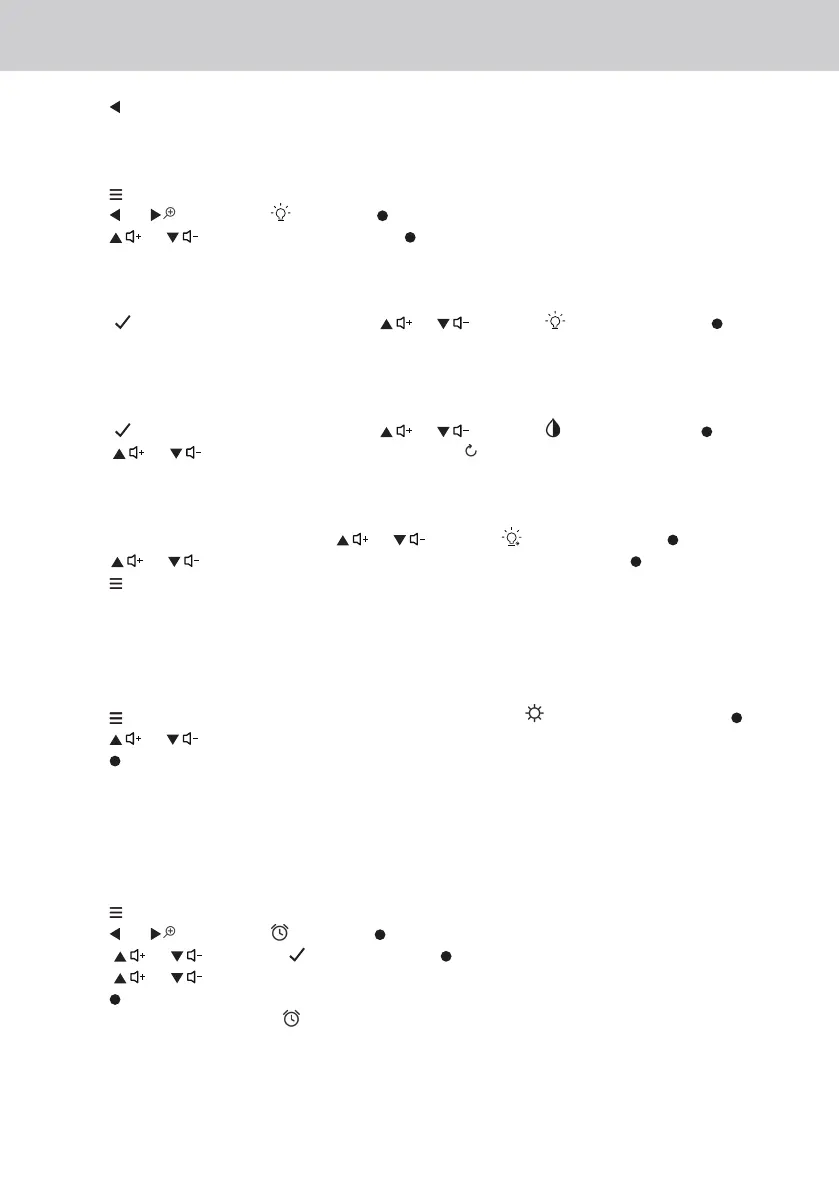
3. Press to zoom out.
3.7 Set Night Light
1. Press when the Parent Unit is in camera viewing mode.
2. Press or to scroll to and press button.
3. Press or to choose On, then press button.
3.7.1 Night Light brightness control
• When (On) is selected, you can scroll or to select and confirm with button.
There are 3 brightness levels for selection.
3.7.2 Night Light colour control
• When (On) is selected, you can scroll or to select and confirm with button.
• Scroll or to select one of the 7 colours or auto looping.
3.7.3 Set timer for Night Light
• When the Night Light is On, press
or to select and confirm with button, you can
scroll or to select night light off after 5h~9h and confirm with button.
• Press to confirm and exit.
3.8 Adjust the LCD brightness of the Parent Unit
You can adjust the brightness of the Parent Unit screen from Level 1 to Level 5.
1. Press
when the Parent Unit is in camera viewing mode. is displayed and press button.
2. Press or to adjust the brightness.
3. Press button to confirm your selection.
3.9 Set the alarm on the Parent Unit
You can use the Parent Unit to set the alarm as a reminder for you to take care of your baby.
Turn on and set the alarm when it is currently off:
1. Press when the Parent Unit is in camera viewing mode.
2. Press
or to scroll to and press button.
3. Press or to choose (On), then press button.
4. Press or to choose 2h, 3h, 4h, 5h or 6h. (The default setting is Alarm OFF.)
5. Press button to confirm your selection.
6. If an alarm time is selected will appear on the display and, after the alarm time is reached,
the parent unit will beep about every 10 seconds and flash the alarm icon, until any button is
pressed.















 To Next Page