29
7. Transmission to other device
To transmit measurement result to other device via wired means, connect the cable to this device’s
connector for serial interface, and prepare other device. Normally, equipment that gets connected to
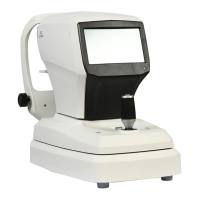
this eye examination device include the PC that has US Ophthalmic LLC digital reflector, lens meter
and software for management provided by a third party built in. As for the connection and
communication setting method, it may be different depending on the equipment that gets connected.
Thus, refer to the manual of the equipment that is connected to set up this eye examination device’s
transmission speed (BPS) and protocol (RS232).
Refer to the ‘9.5 user SETUP mode’ for this eye examination device’s communication transmission
speed and protocol. Ask the distributor where you purchased this device for details.
! WARNING
When the following type of situation results, turn off the power switch immediately. Then, contact
the US Ophthalmic LLC distributor after pulling out the power code from the AC power
connection part.
- When smoke is detected from the equipment or when strange smell or sound is heard.
- When liquid was accidentally poured on the equipment or when a metallic material was
dropped into the equipment
- When equipment was dropped or when external appearance was damaged


 To Next Page
 Loading...