6 L98005G3-EU-A
User Manual: PCD-51™ 731A
3.4. Attaching the Hose Bundle to the Console
Note:
Hold the console handle with one hand while connecting or
disconnecting the hose bundle with your other hand.
1. Locate the hose bundle connector at the other end of the hose
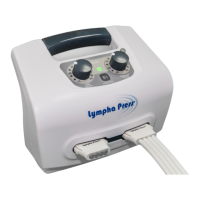
bundle. Also note the two air outlets on the front of the console.
2. Insert the hose bundle connector into one of the two air outlets at
the front of the console, making sure the logo Lympha Press
®
faces UP. The hose bundle connector "clicks" into place. If you do
not hear a click, move it gently to make sure it is secure.
To remove the hose bundle connector, press the release buttons
at either side of the connector and pull out the connector.
If you use only one garment, plug the unused air outlet at the
front of the console with the Plug (find this in the zipper
accessory bag supplied with the console). It is important to plug
this outlet. If it is left open, air will escape, the console will stop
working and the alarm will beep.
Note:
When only one garment is used, the second outlet must be
plugged. Otherwise the console stops working and the alarm
beeps.


 To Next Page