L98005G3-EU-A 7
User Manual: PCD-51™ 731A
4. Operating PCD-51™
Following is a description of the console operating panel. Read this
section before operating the console for the first time.
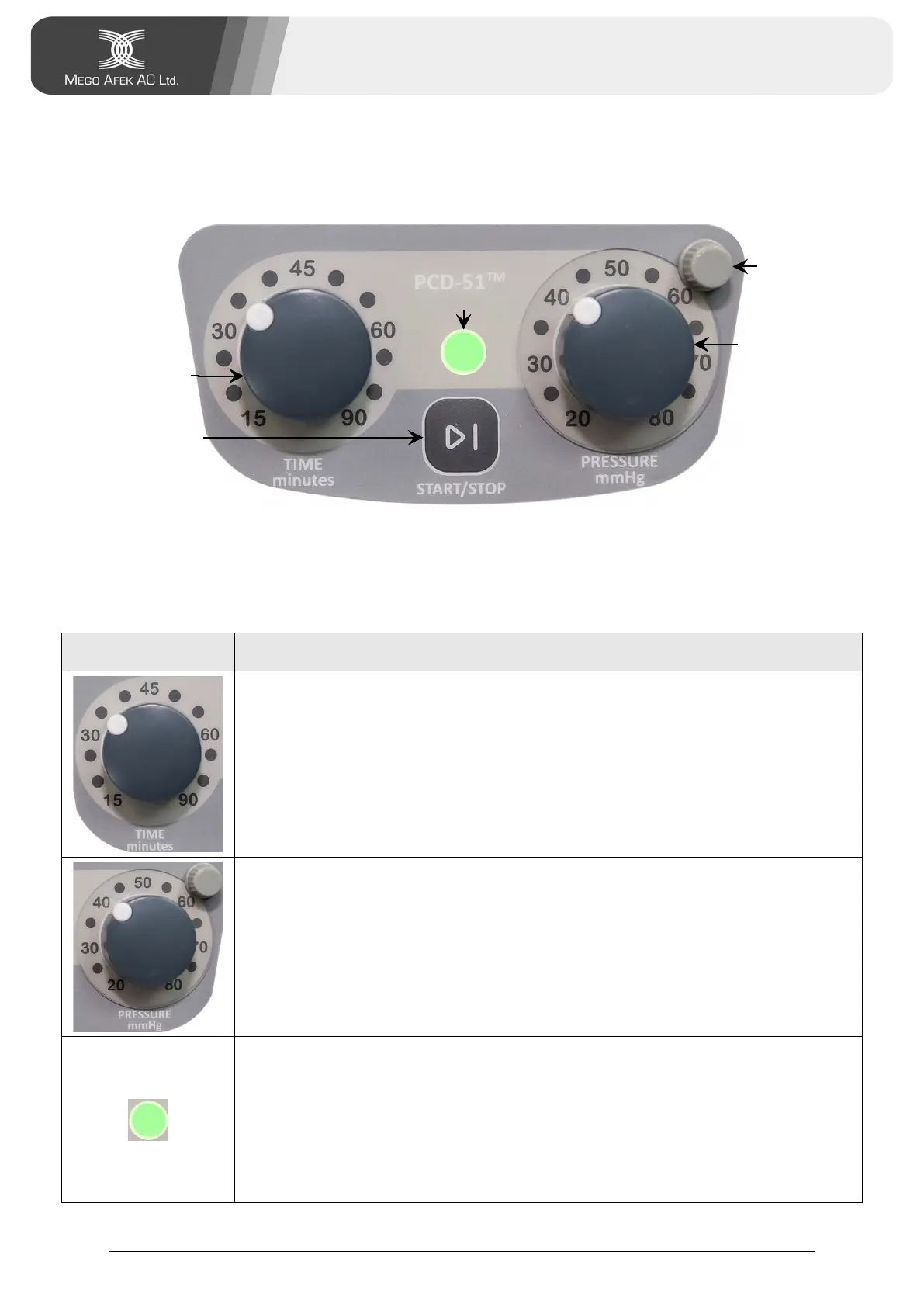
Figure 1 - The Console Operating Panel
The Console Controls
Table 2 - Console Controls
Control Function
Time Knob: Used to set treatment time (15–90 min.)
Lock Knob: Disables turning the Pressure Knob to prevent
unintentional change of pressure setting.
Pressure Knob: Used to set treatment pressure (20–80 mmHg).
Status Indicator:
White - power is On. Treatment has not started
Green - treatment is in progress
Orange - indicates malfunction (see Chapter 9 -
Troubleshooting).


 To Next Page