3 CONTROLS AND INDICATORS
3.1 VOLUME CONTROL
The radio volume control is used for Desktop Stations with the Standard
Control Panel (Non-Remote Control Stations). The volume control on the
radio must be variable only for the Local Control Stations.
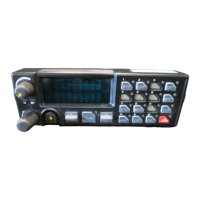
Desktop Stations equipped with the optional Remote Control Panel are
equipped with a separate volume control located on the Station Control Panel.
This knob controls the level of audio fed to the Station speaker as determined
by the Intercom and Remote Switch positions.
3.2 REMOTE/INTERCOM SWITCHES
These switches control the audio paths for stations equipped with one of
several Remote Control options. Audio control is accomplished between
remote and local microphones, the radio, and remote and local speakers. The
Remote switch allows for remote control of the radio. The Intercom switch
allows communication between the Desktop Station and a Remote Controller.
3.3 VU METER AND CLOCK
The VU Meter displays, in bar graph format, transmit/receive audio levels.
The time is displayed in an “Hours: Minutes” format.
NOT
An illuminated indicator in the lower right corner of the
clock display indicates that the internal battery of the VU
Meter/Clock is defective or the VU Meter calibration data
has been lost. Contact a service technician to correct the
problem.
3.4 DESK MICROPHONE
The desk microphone is equipped with the traditional PTT (Push-to-Talk)
Transmit button, and a Monitor button. In configurations using Channel
Guard, the Microphone Monitor button provides the operator the ability to
listen for other users on the selected channel before transmitting. This helps
to prevent unnecessary interference to other users. On stations equipped with
the Local/Remote option, the functionality of the microphone PTT button is
determined by the Local/Remote switch settings (see Section
4.2).
8



 To Next Page