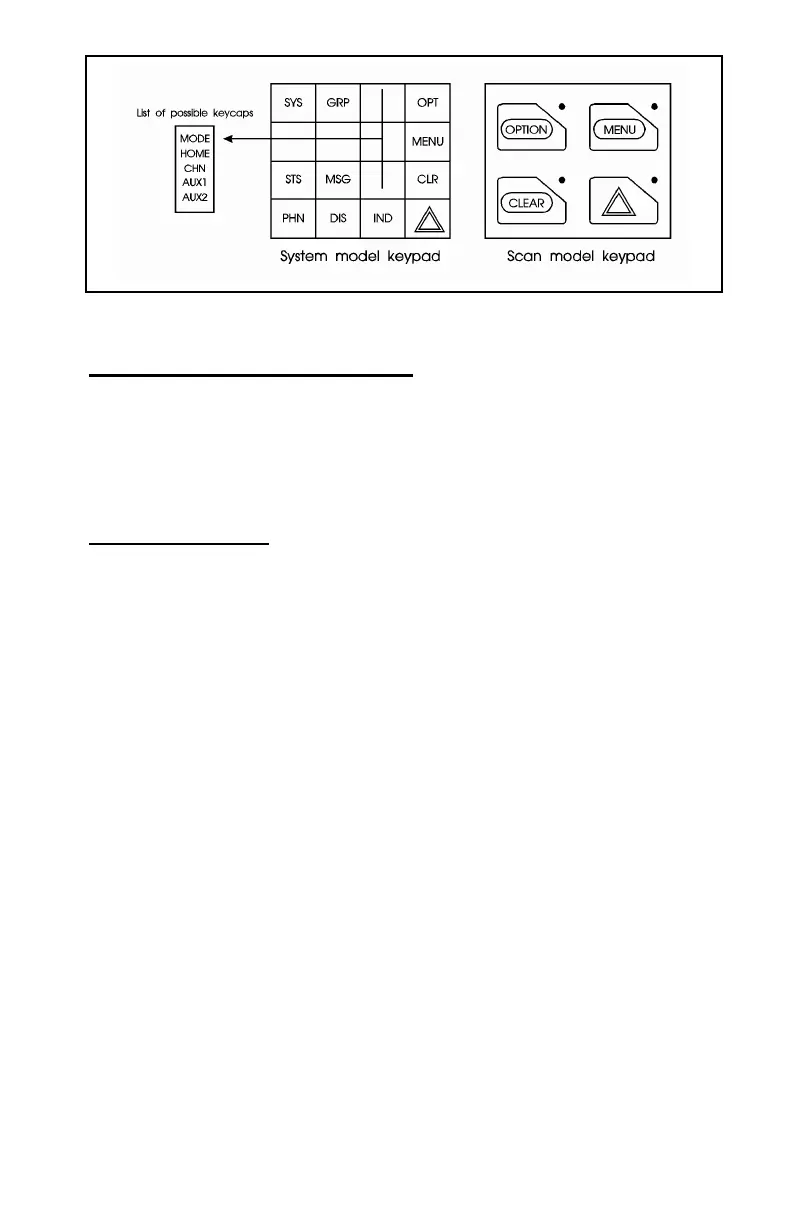
Figure 5 - Standard Orion Keycaps Configuration
Optional Keycap Configuration
The Optional keycap package for the System radio includes sixty (60)
additional keycaps (shown in the Key Description section), which can be
placed on any key location desired. Keep in mind, the keycap represents the
primary function programmed for that key location.
Key Descriptions
MODE This key function is used to enter the Conventional System
selection mode.
HOME This key function returns the radio to the Home
System/Group where it is programmed.
CHN This key is used to enter the Channel select mode.
AUX1 & 2
These keys are used to control output 1 or 2. Their definition
is PC programmable.
S This key is used to enter the System select mode.
g This key is used to enter the Group select mode.
o
O
This key function is used to toggle a PC programmable
feature ON and OFF.
DEL Secondary function - used to delete a digit during numeric
entry (see SELECTION MODE RULES).
m Primary function - accesses the menu list. This is a list of
additional features that are not available directly from the
keypad. See MENU for details.
11



 To Next Page