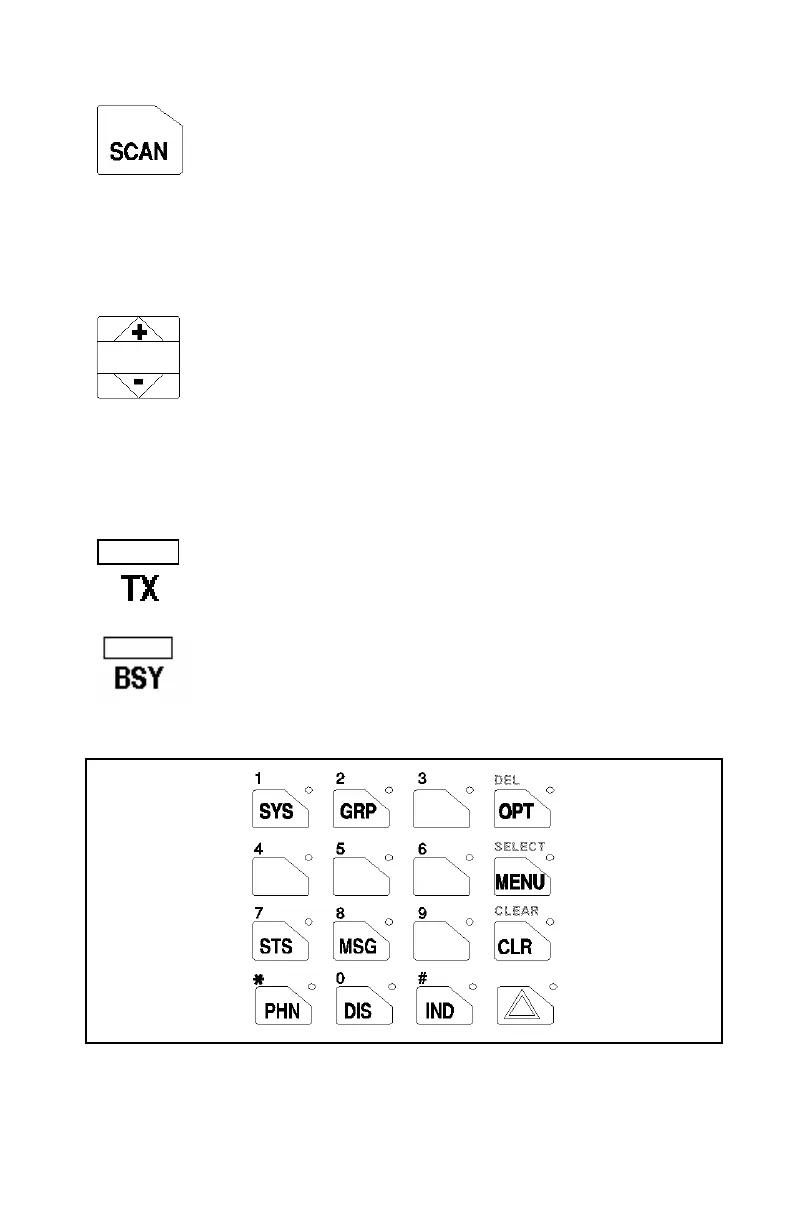
SCAN ON/OFF
The
rimary function of this button is to toggle scan operation on
and OFF. When the radio is scanning, the SCAN LED is on an
all groups or channels in the scan list of the currently selected
systems are scanned.
The secondary function of the SCAN button is to toggle the keypad buttons
between their primary function and their secondary function.
SCAN ADD/DELETE
This rocker type button is used to display the current SCAN
status for a group/channel and then either add or delete the
group/channel from the system scan list.
The add button will select the last scanned channel recall b
ressing it twice when the radio is actively receiving or three
times when the radio is not actively receiving.
INDICATORS
Transmitter enabled - ON when the radio is transmitting.
BuSY - On indicates a carrier is being received (the channel is
usy). Note that if the selected channel is programmed fo
Channel Guard (CG), Digital Channel Guard (DCG) or Type 99
(T99) tone decode operation, the radio will not un-squelch if
valid tone or code is not received; the BSY indicator will be on.
Figure 3 - Orion System Model Keypad
9



 To Next Page