30
screen you will have some operational
possibilities:
F1 [SKIP] Excludes the selected SLOT
from the execution of the Scene. Select
the SLOT by turning [ALPHA DIAL] or [Up
down] press F1 [SKIP]. An icon will appear
indicating that the SLOT will not be played
in the current Scene.
F2 [NEXT] Inserts the selected SLOT into
the Next location. So the SLOT will be ex-
ecuted after the one running. Select the
SLOT by turning [ALPHA DIAL] or [Up down]
press F2 [NEXT]. The letter "N" appears
next to it, and the SLOT is placed on Next
location.
F3 [LOAD] Loads the selected SLOT into
memory, ready to be executed. Select the
SLOT by turning [ALPHA DIAL] or [Up down]
press
F3 [LOAD]. The SLOT will be loaded into
the Player and ready to be executed.
If the Player is running another Slot
(audio or video) a confirmation screen will
appear before loading the memory and
stopping the current run.
PLAY: to play any of the SLOTS in a SHOW.
Select the SLOT by turning [ALPHA DIAL] or
[Up down] press PLAY. The song will start
immediately, interrupting the SLOT that is
running.
The PLAY button features immediate
action, so if the Player is playing music or
video these will be stopped permanently.
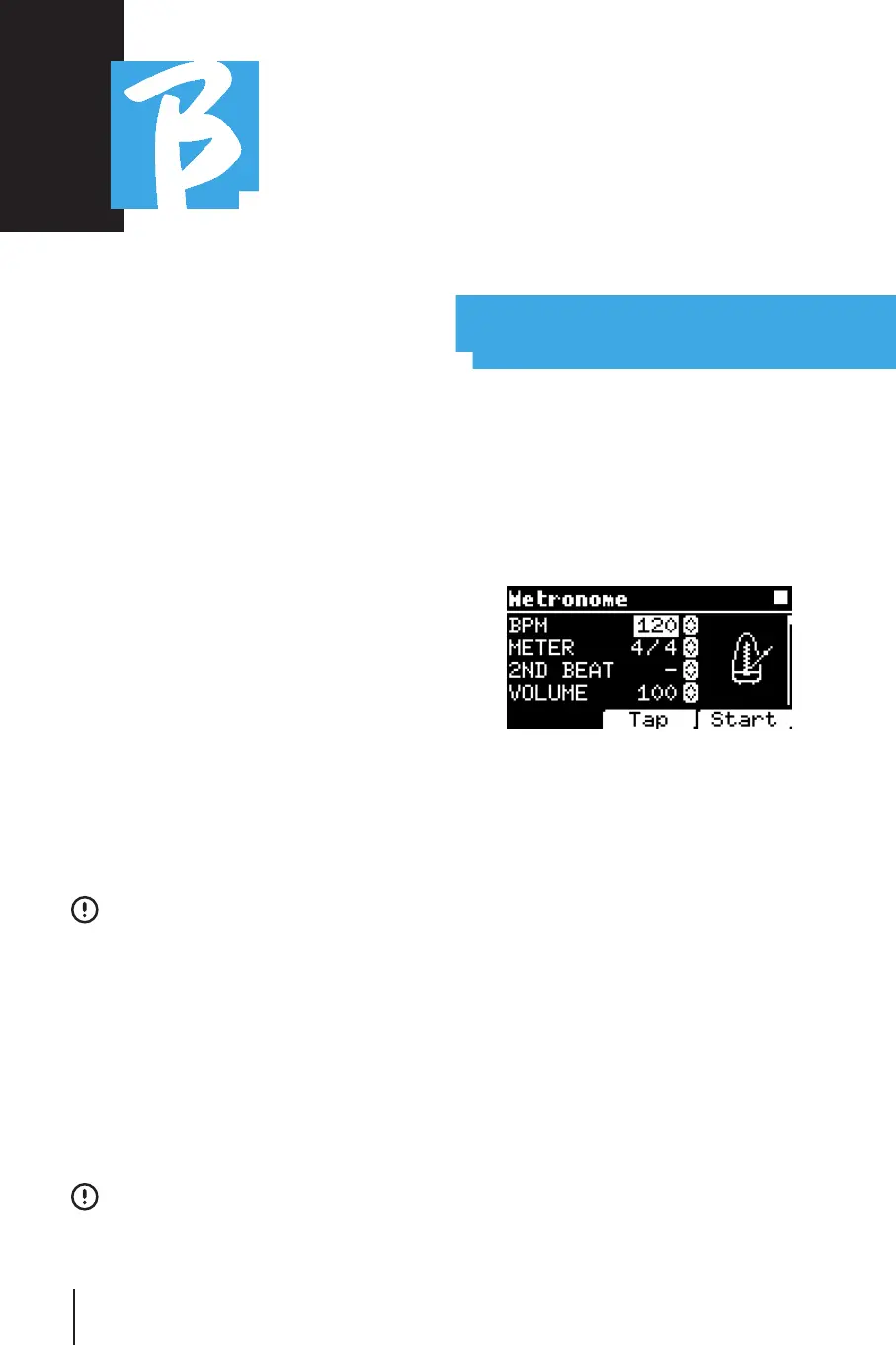
METRONOMEMETRONOME
B.Beat includes a metronome. It can be
used as guide during a Live performance.
It can be placed within a scene that will
make up a show.
Pressing the Metronome key takes you to
the dedicated page.
BPM: indicates the chosen speed. It can
be changed with Alpha Dial (rotate left or
right) or with the TAP function.
TAP: press F2 [TAP] -> tap the stop button
to give the metronome time -> press F3
[DONE] when you have completed.
METER: choose the metric subdivision.
You can change the value with Alpha Dial.
2nd BEAT: choose a second beat within
the measure, you can select the fourth or
eighth of the measure on which you want
the second beat.



 To Next Page