15
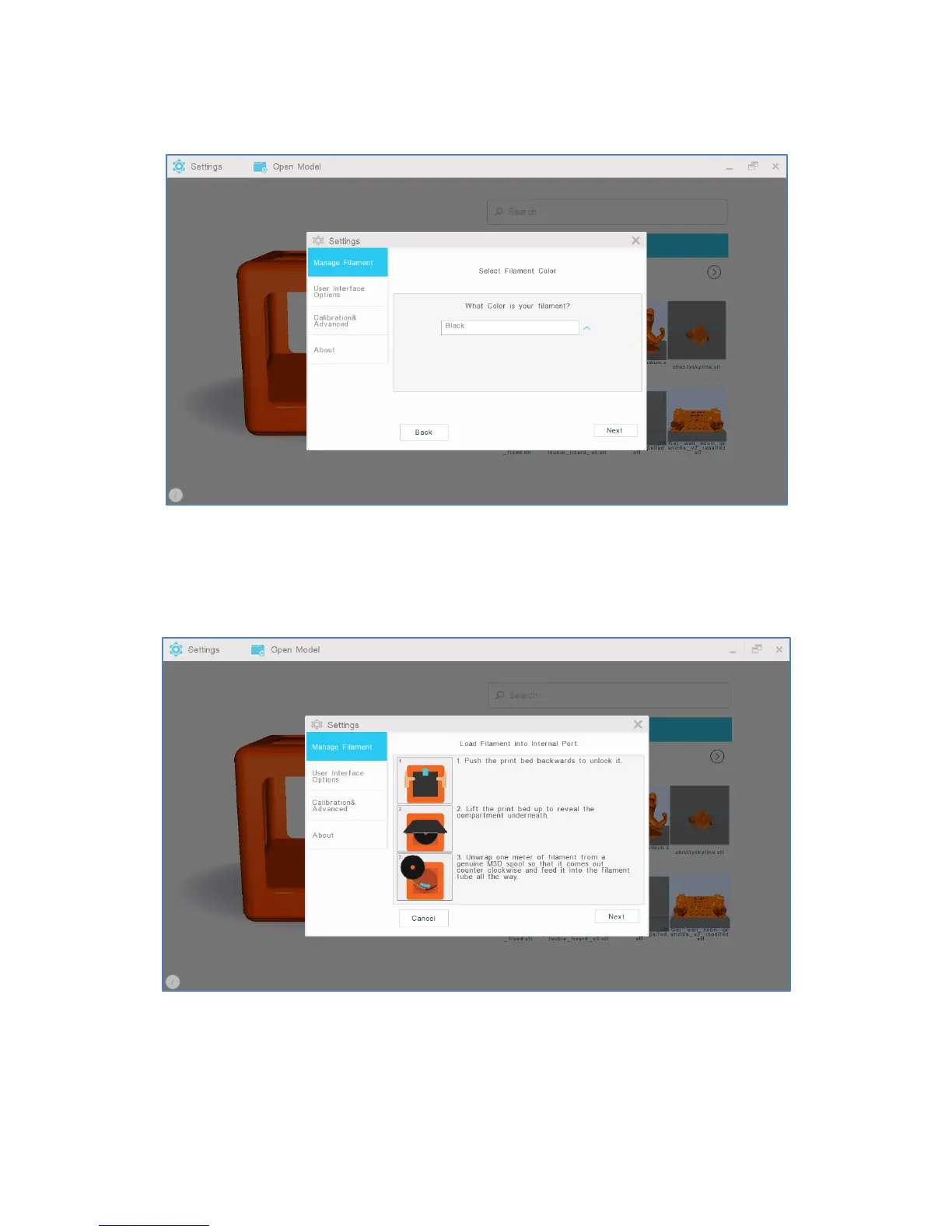
4. Confirm and select your filament color. Select “Next.”
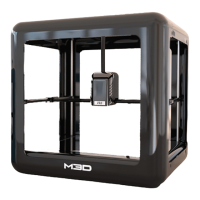
5. When prompted, push the print bed back to unlock it and lift it up to reveal the compartment
underneath. Then, unwrap one meter of filament as directed and feed it into the internal filament port.
Continue inserting filament through the internal feed port; you may encounter resistance and will need to
firmly push the filament through.


 To Next Page