23
6.2 Removing Filament (Internal)
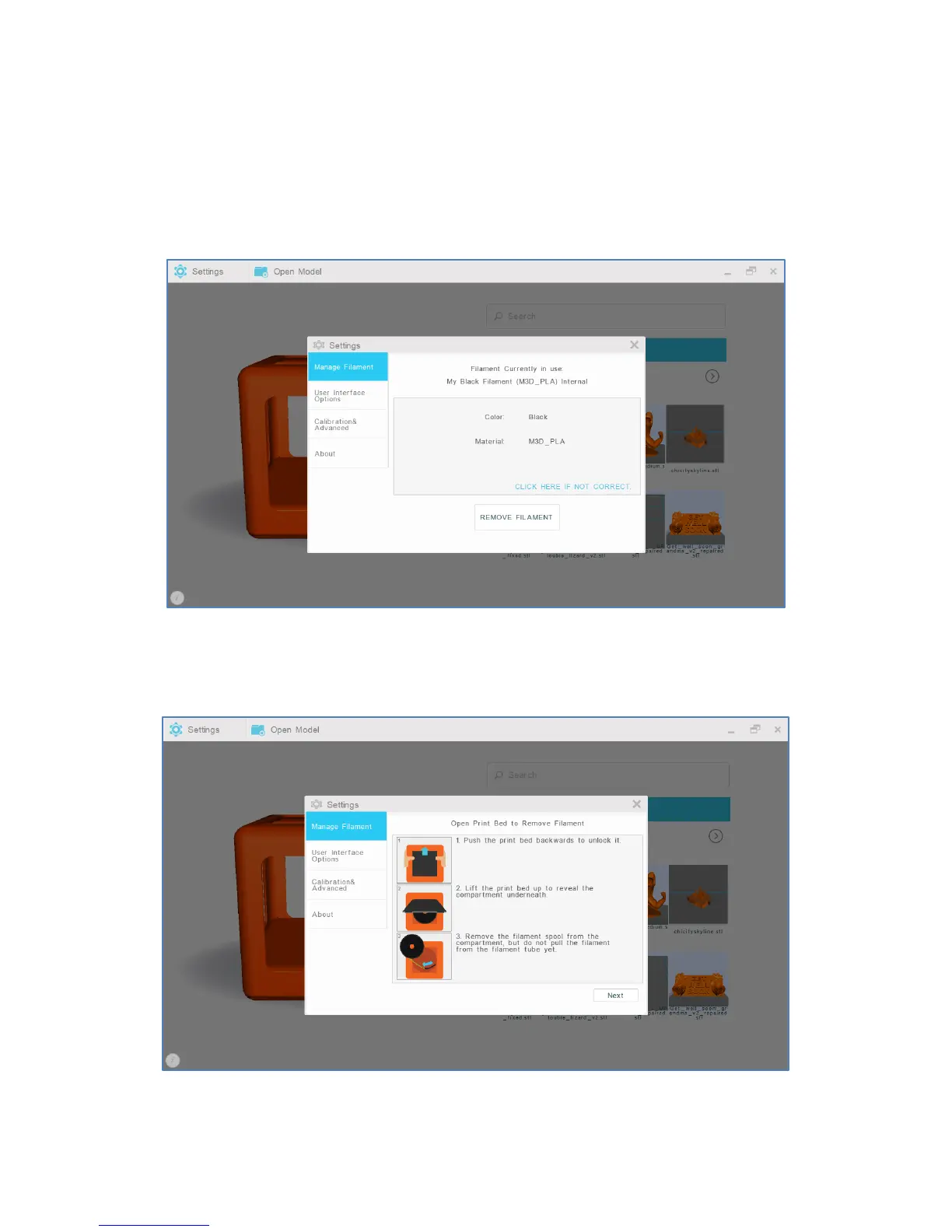
1. To remove filament from the internal feed port, select “Settings” from the M3D software’s main
interface. Then, select “Manage Filament.”
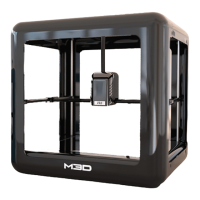
2. Select “Remove Filament.”
3. When prompted, push the print bed back and lift it up to reveal the compartment underneath. Then,
remove only the filament spool from the compartment, but do not pull filament from the internal feed port
yet.


 To Next Page