14
3.2 Loading Filament (Internal)
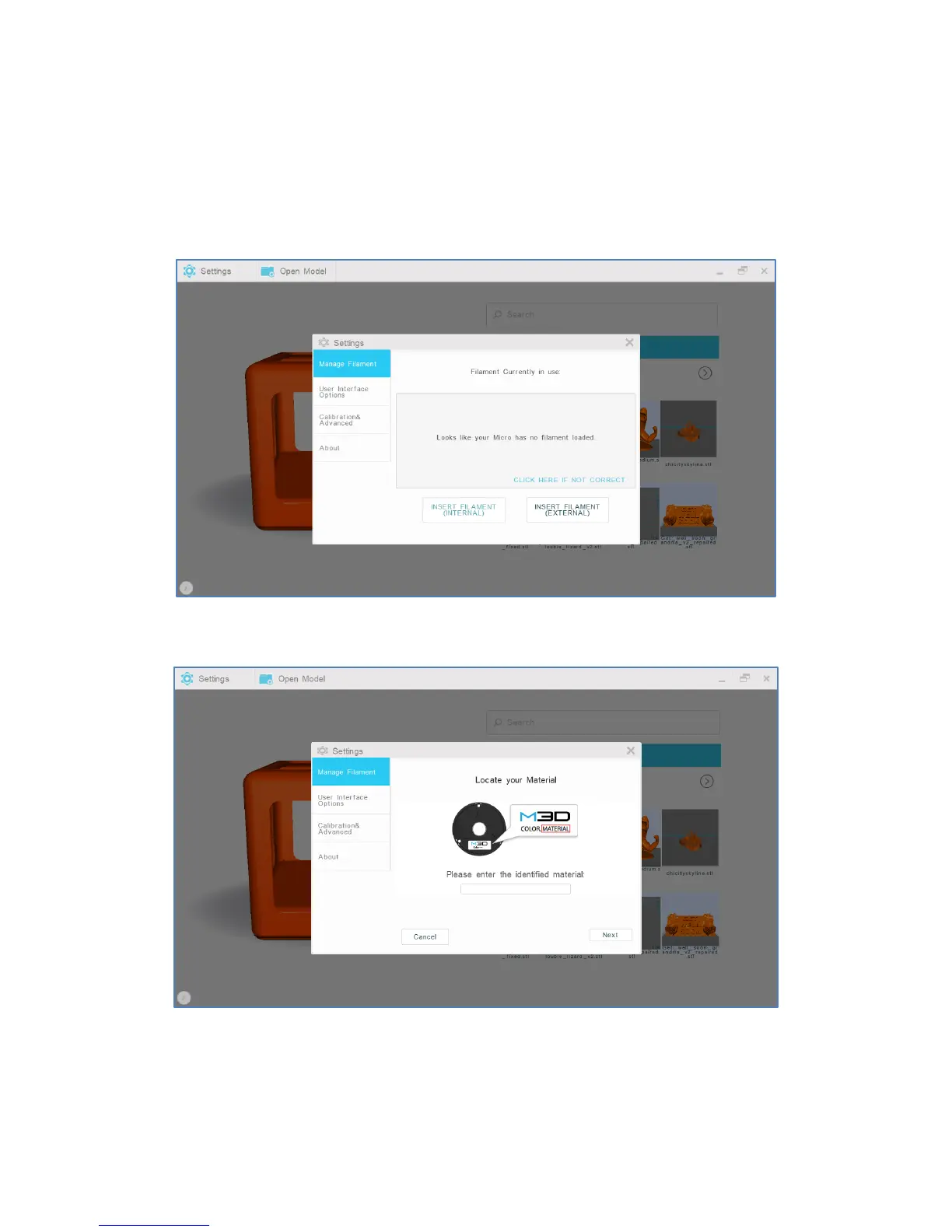
1. To load filament into the internal feed port, select “Settings” from the M3D software’s main interface.
Then, select “Manage Filament.”
2. Select “Insert Filament (Internal).”
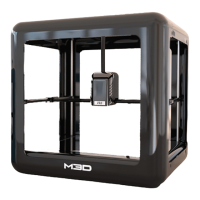
3. Confirm and enter your filament type. Select “Next.”


 To Next Page