Connecting to WiFi Network
Once you are connected to your spa, you can
then connect your spa to your home WiFi
network in order to control your spa from
anywhere your smart device has access to the
internet. To do this:
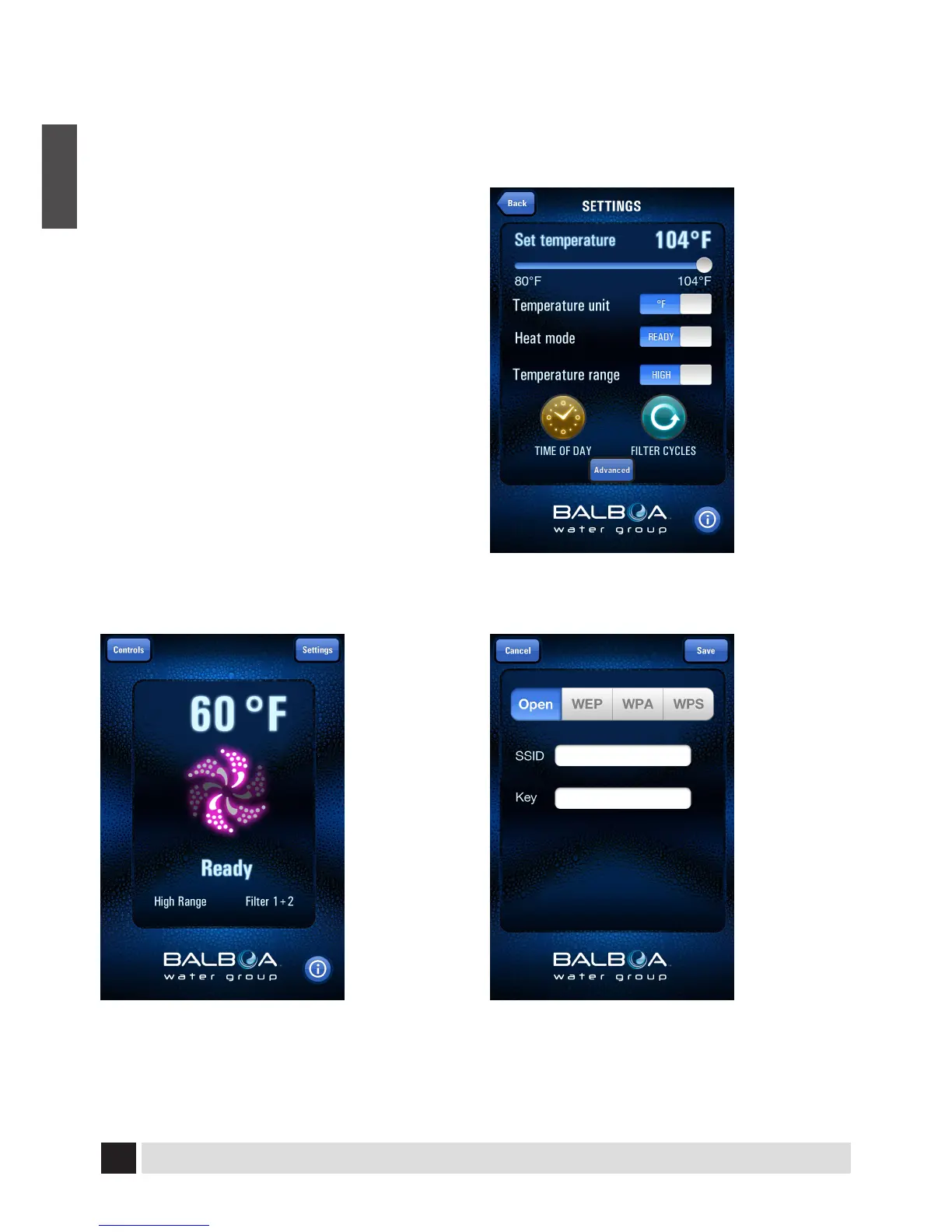
1. Open the main screen of the application
2. Choose “Settings” in the top right corner
3. Choose “Advanced” at the bottom center
4. Type in your home WiFi connection informa-
tion and SAVE
5. Be sure to select Open, WEP, WPA or WPS
based on your home Wi-Fi rounter’s encryp-
tion type.
Note: If you do not have a wireless internet
connection in your home, you will not be
able to connect with WiFi access.
You will still be able to control the spa from
your smart device within 30 feet (10 meters)
of your spa.
1. Main Screen
2. Setting Screen
3. Advanced Setting Screen


 To Next Page
 Loading...