User Guide HC - Copyright © 2008 MAC3. All right reserved.
Disegno 6328
39
Via Baldanzese, 149 50041 Calenzano FI
Tel. 055 8877672 – Fax 8877068
www.mac3.it - e-mail: mac3@mac3.it
8. EXTENDED MENU
The extended menu displays the parameters for controlling Hydrocontroller. The parameters
are only readable; for writing them you need a password and the help of Mac3 Customer
Service.
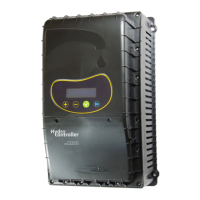
For entering Extend menu, keep pressed altogether for some seconds the 3 keys: + , - ,
ENTER, till wil be displayed:
And then:
Keeping pressed the key --> the display will show the first parameter and so on.
To display the parameters in left way press altogether the keys:
--> e ENTER.
To exiting this menu, during the usual visualization of the parameters, you need to arrive at
the last parameter till the display:
Then press ENTER and exit the extended menu. If you used the password will be saved all the
changed parameters.
Extended Mode
Password
Save&Exit



 To Next Page