MSPS1200 by MACAllister
Before you start
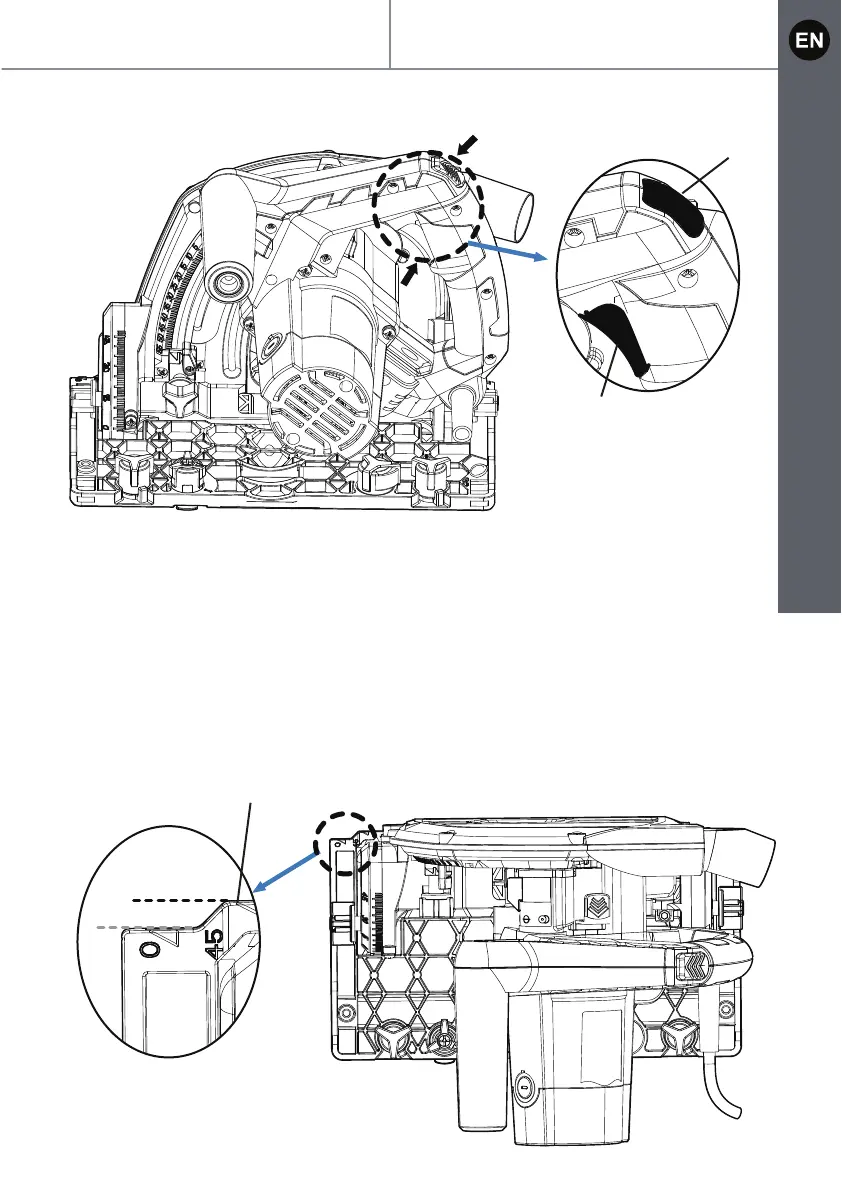
Fig. 10
Determine cutting line
Two cutting lines are marked on the base plate (6) of the plunge saw.
1. Align position A (0 mark on base plate) at the front of the base plate with
your marked cutting line when using the saw without track for straight cuts.
For 45° mitre cuts align position B (45 mark on base plate) at the front of
the base plate with your marked cutting line.
2. When using the saw with track always align position A (0 mark on bas
e plate
)
at the front of the base plate with your marked cutting line for straight cuts and
45° mitre cuts.
1
2
B
A
6


 To Next Page