214685 178 Revision A
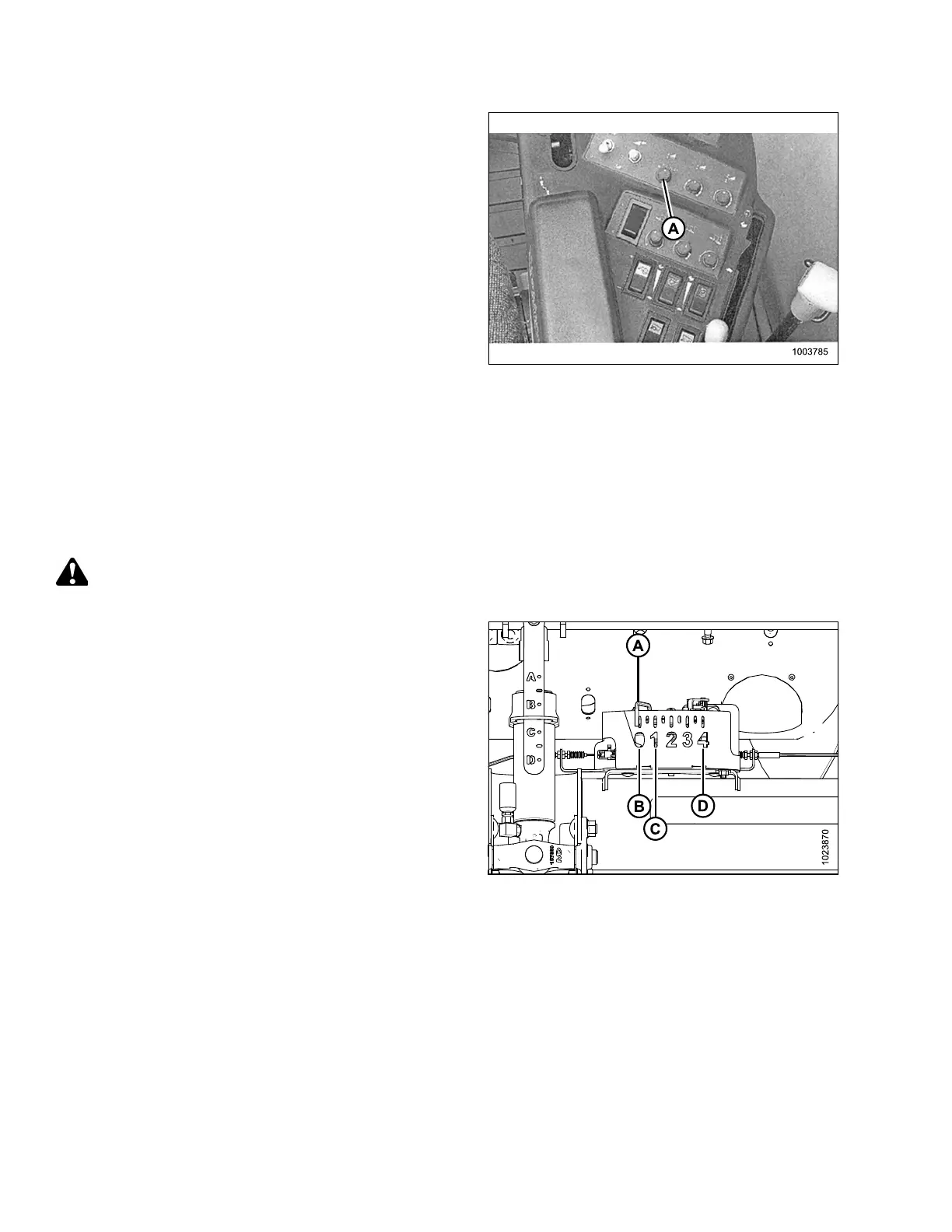
Figure 7.49: Right Console
4. Locate HEADER CONTROL switch (A) on the right
console, and set to HT (this is AHHC mode).
5. Hold the DOWN button for 10 seconds, or until the
combine feeder house has been lowered all the way
down (the feeder house will stop moving).
6. Push the RAISE button and hold it until the feeder
house travels all the way up. It will stop 61 cm (2 ft.)
above ground for 5 seconds, then it will resume lift. This
is an indication that calibration is successful.
NOTE:
If float was set heavier to complete the AHHC
calibration procedure, adjust to recommended
operating float after the calibration is complete.
Setting Preset Cutting Height (Case 5130/6130/7130, 5140/6140/7140)
To set preset cutting height, follow these steps:
NOTE:
Changes may have been made to the combine controls or display since this document was published. Refer to the
combine operator’s manual for updates.
CAUTION
Check to be sure all bystanders have cleared the area.
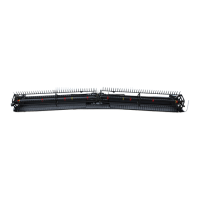
Figure 7.50: Float Indicator Box
NOTE:
Indicator (A) should be at position 0 (B) with the header
152 mm (6 in.) off the ground. If not, the float sensor output
voltage should be checked. Refer to Step 4, page 159.
When the header is on the ground, the indicator should be
at position 1 (C) for low ground pressure, and at position
4 (D) for high ground pressure. Crop and soil conditions
determine the amount of float to use. The ideal setting is as
light as possible without header bouncing or missing crop.
Operating with heavy settings prematurely wears the
cutterbar wearplates.
SETTING UP AUTO HEADER HEIGHT CONTROL




 To Next Page