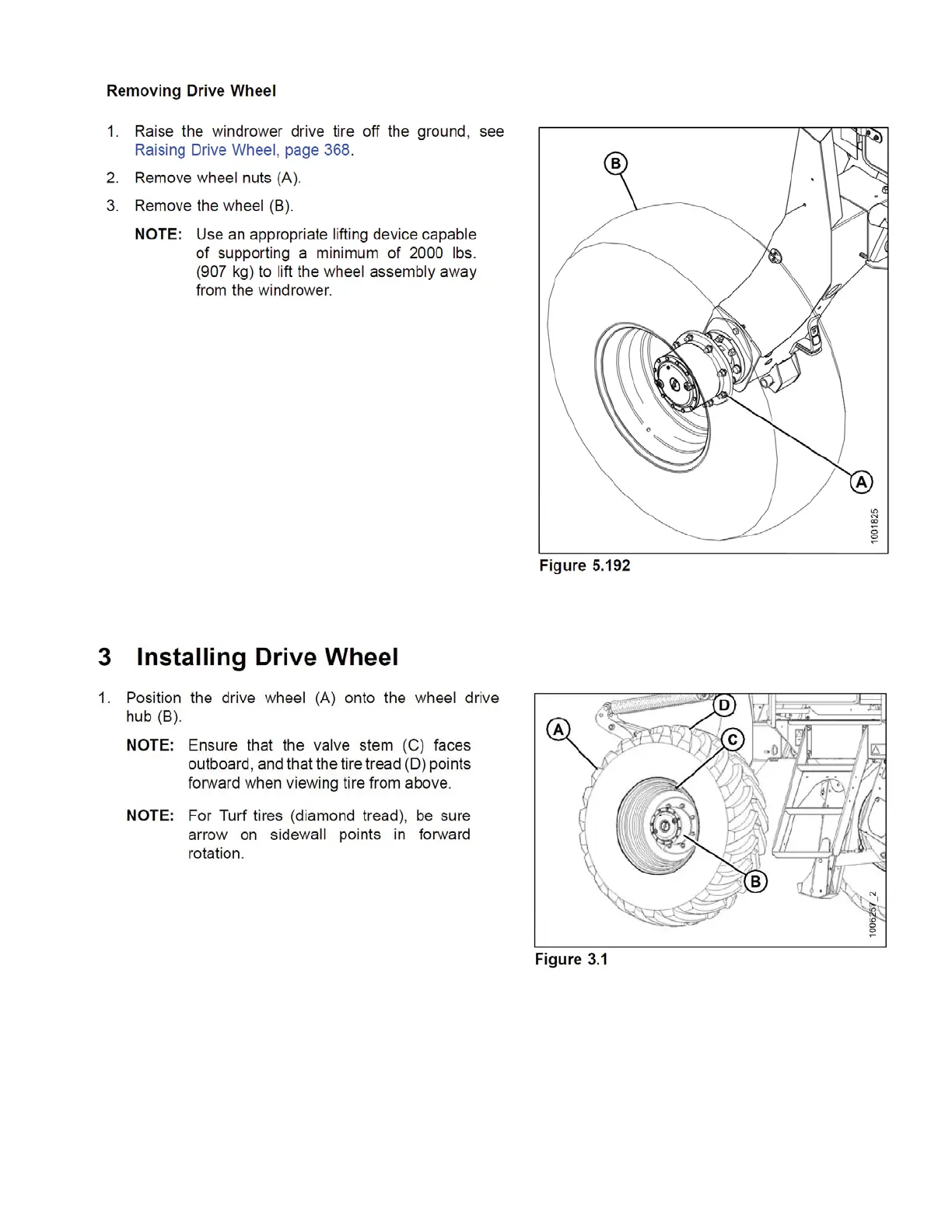
3 Installing Drive Wheel
1. Position the drive wheel (A) onto the wheel drive
hub (B).
NOTE: Ensure that the valve stem (C) faces
outboard, and that the tire tread (D) points
forward when viewing tire from above.
NOTE: For Turf tire
s (diamond tread), be sure
arrow on side
wall points in forward
rotation.
Figure 3.1
2. Line up the holes in the rim with the studs on the wheel
drive hub, and install L9 nuts (E) and washers.
3. Tighten nuts (A) to 170 ft·lbf (230 N·m) using the
tightening sequence shown. Repeat the sequence
three times.
Figure 3.2
IMPORTANT
Verify
nuts and washers are L9 by checking for
markin
gs (A) as shown at right.
IMPORTANT
To avoid damage to rim and studs, do NOT
overtighten wheel nuts.
4. Lower th
e windrower. See Section 3.1 Lowering Drive
Wheel, p
age 6 .
5. After on
e hour of operation, re-torque the wheel nuts.
Then ch
eck every hour until two consecutive checks
produc
e no movement of the nuts.
Figure 3.3: L9 hardware
169563_SUPPLEMENT
5 Rev. D
Replaces Page 369 in M155 Op Manual
369





 To Next Page