Owner’s Manual
11
Owner’s Manual
Thump12 / Thump15 Loudspeakers: Rear Panel Features continued...
However,iftheOLLEDisblinkingfrequently
orcontinuously,turndownthelevelcontrolonthe
Thumploudspeakerorturndownthesignalatits
source(e.g.,themixingconsole)untiltheOLLED
blinksoccasionallyornotatall.
7. Low EQ
Thiscontrolprovidesupto6dBofboostorcutbelow
80Hzanditisalsoatatthecenterposition(U).
Thisfrequencyrangerepresentsthepunchinbass
drums,bassguitar,fatsynthpatches,andsomereally
seriousmalesingers.
8. Mid EQ
ThisisamidrangeEQcontrolthatprovides6dB
ofboostorcutcenteredatanyfrequencybetween
100Hzand8kHz.TheMIDEQcircuitisat
(noboostorcut)atthecenterposition(U).
Thisfrequencyrangeincludesmostvocals(male
atthelowerendoftherangeandfemaleattheupper
endoftherange),andthefundamentalsandharmonics
formanyinstruments.
9. Mid Freq
Thisknobrangesfrom100Hzto8kHzand
determinesthecenterfrequencyfortheMidEQlter.
Thisallowsyoutozeroinontheprecisebandof
frequenciesyouwanttohaveaffectedbytheMidEQ.
10. Hi EQ
Thiscontrolgivesyouupto6dBboostorcutabove
12kHz.Thecircuitisat(noboostorcut)atthe
centerposition(U).Useittoaddsizzletocymbals,
andanoverallsenseoftransparencyoredgetothe
keyboards,vocals,guitar,andbaconfrying.Turnit
downalittletoreducesibilance,ortoremovehigh
frequencyhiss.
11. Suggested EQ Settings
Youmightpreferadifferentoveralltonedepending
onhowyouwillbeusingtheThumploudspeakers.
TheyareperfectforgeneralPAusewiththe3-bandEQ
setat(allknobsat12o’clock).Forothercommon
applications,settheEQknobsasshown,thenadjust
totastefromthere.
Final Thoughts
ThefollowingpagesdiscussThumploudspeaker
placement,protectioncircuitry,technicalinformation
andmuchmore.Checkitout!
Placement
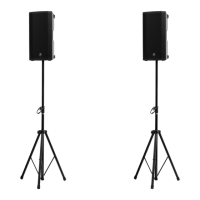
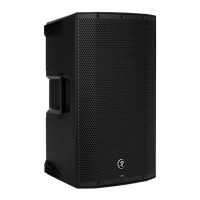
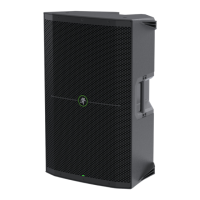
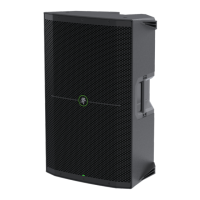
Thumploudspeakersaredesignedtositonthe
oororstage.Theymayalsobepole-mountedvia
thebuilt-insocketonthebottomofthecabinet.
Theyarenotdesignedtobesuspended.
Whenpole-mountingThumploudspeakers,besure
thatthesubwoofersarestabilizedandsecuredfrom
fallingoverorbeingaccidentallypushedover.For
stackedscenarios,itishighlysuggestedthatstrapsare
utilized.Failuretofollowtheseprecautionsmayresult
indamagetotheequipment,personalinjury,ordeath.
Thumploudspeakercabinetshavenorigging
pointsandarenotsuitableforrigging.NEVER
attempttosuspendaThumploudspeakerby
itshandles.
Aswithanypoweredcomponents,protectthemfrom
moistureandextremecoldandfollowtheotherCare
andMaintenancesuggestionsbelow.
Care and Maintenance
YourThumploudspeakerswillprovidemanyyearsof
reliableserviceifyoufollowtheseguidelines:
• Avoidexposingtheloudspeakerstomoisture.
Iftheyaresetupoutdoors,besuretheyare
undercoverifrainisexpected.
• Avoidexposuretoextremecold(below
freezingtemperatures).Ifyoumustoperate
theloudspeakersinacoldenvironment,warm
upthevoicecoilsslowlybysendingalow-level
signalthroughthemforabout15minutesprior
tohigh-poweroperation.
• Useadryclothtocleanthecabinets.Onlydo
thiswhenthepoweristurnedoff.Avoidgetting
moistureintoanyoftheopeningsofthe
cabinet,particularlywherethedriversare
located.


 To Next Page