www.mackie.com
PHONE: 425.487.4333 • TOLL-FREE: 800.898.3211
ThumpBST Speaker Setup Guide
Knowledge Base
http://mackie.com/products/thump
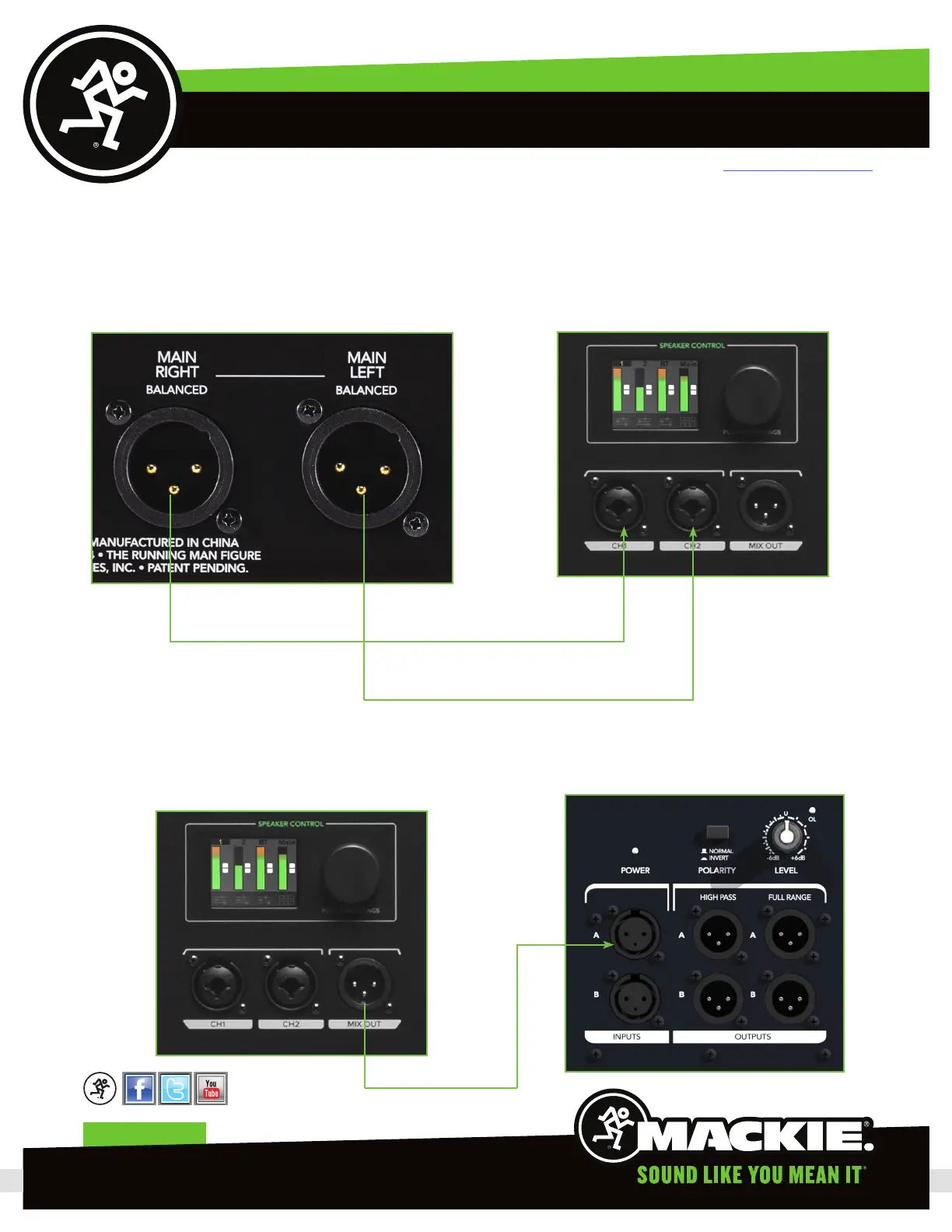
) Using two of the XLR cables patch from the XLR main outputs left and right on the back of the ProFX8v2 to one
of the Thump5BST’s CH and CH2 inputs (this will be our “main” Thump Boosted). Left main from the ProFX will patch
into input CH on the Thump5BST and Right main from the ProFX to input CH2 on the same Thump5BST.
ProFX XLR Main Outs Thump5BST Rear Panel
2) Using one more XLR cable, we are going to patch from the “Mix Out” connector on your second Thump5BST into
the Thump8S’ input A.
Thump5BST Rear Panel
Thump8S Rear Panel
Page 3


 To Next Page