www.mackie.com
PHONE: 425.487.4333 • TOLL-FREE: 800.898.3211
ThumpBST Speaker Setup Guide
Knowledge Base
http://mackie.com/products/thump
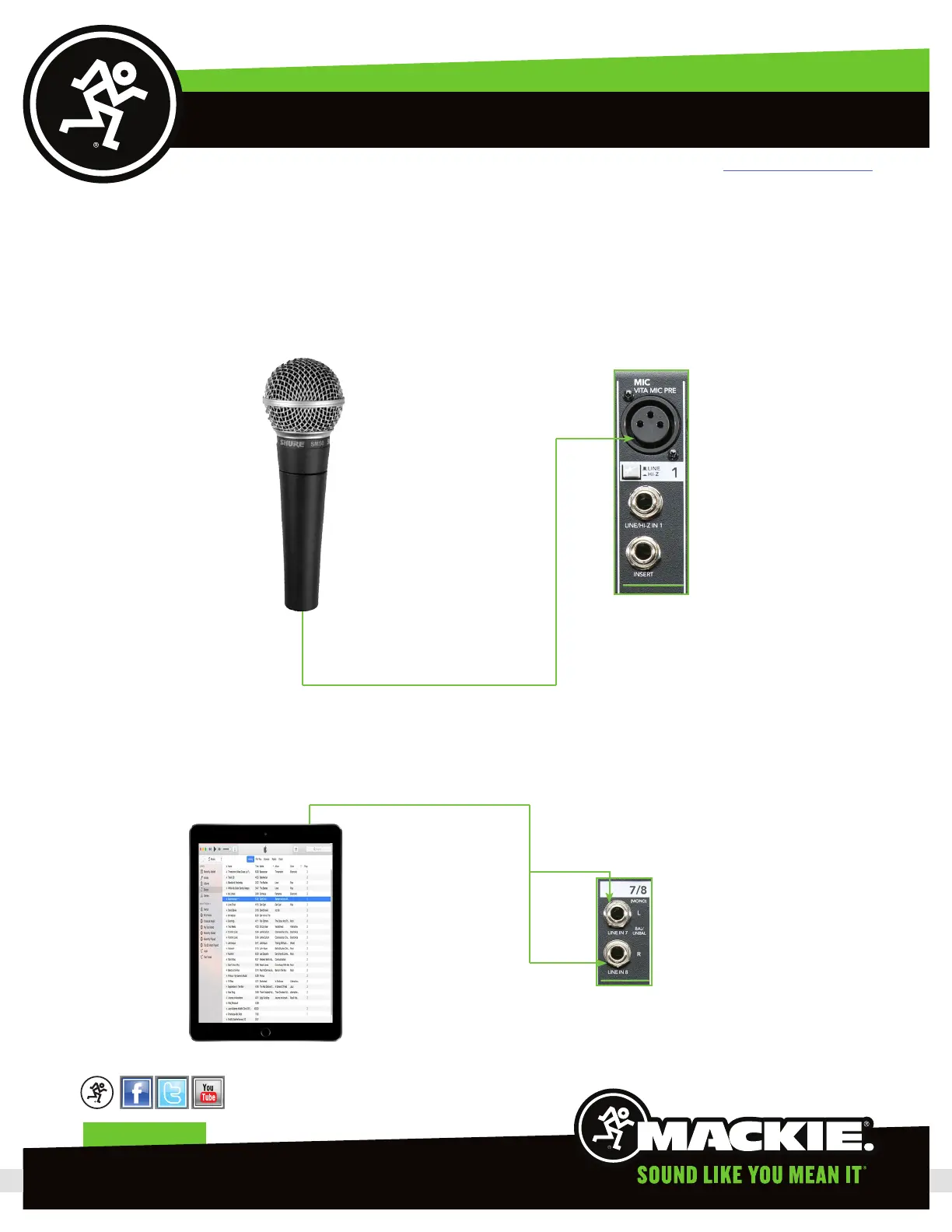
Now we will go ahead and connect the input sources, the microphone and iPad. For this, we will need one XLR cable and the
/8” TRS to TS “Y”-cable.
) Connect the microphone to the mic input on channel of the ProFX mixer using the XLR cable.
2) We will connect the iPad to stereo channel 7-8 using the “Y”-cable.
Page 4


 To Next Page