Drawing vector objects 67
Adjusting the shape of a curved path segment
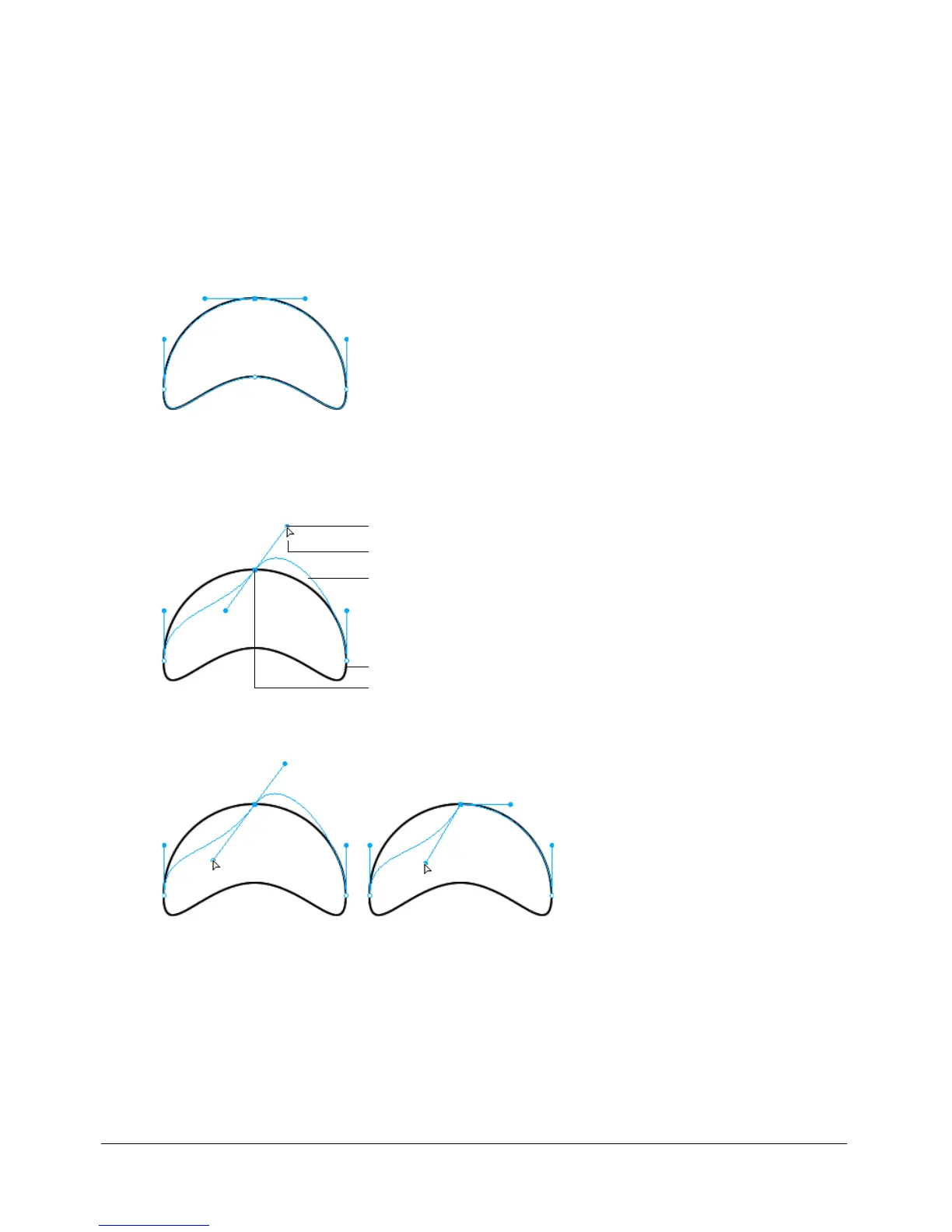
You can change the shape of a vector object by dragging its point handles with the Subselection
tool. The point handles determine the degree of curvature between fixed points. These curves are
known as Bézier curves.
To edit the Bézier curve of a path segment:
1 Select the path with the Pointer or Subselection tool.
2 Click a curve point with the Subselection tool to select it.
A selected curve point appears as a solid blue square. The point handles extend from the point.
3 Drag the handles to a new location. To constrain handle movement to 45° angles, press Shift
while dragging.
The blue path preview shows where the new path will be drawn if you release the
mouse button.
For example, if you drag the left point handle downward, the right point handle goes up.
Alt-drag a handle to move it independently
Subselection pointer
Point handles
Path preview
Selected point
Path


 To Next Page
 Loading...