About coding in the Actions panel and Script window 39
The following topics present the many features of the ActionScript editor (Actions panel and
Script window):
■ “About the Actions panel and Script window toolbars” on page 39
■ “About ActionScript editing options” on page 41
■ “About ActionScript preferences” on page 42
■ “About code hinting in Flash” on page 44
■ “Formatting code” on page 50
■ “Using syntax highlighting” on page 51
■ “Using line numbers and word wrap” on page 52
■ “Using Escape shortcut keys” on page 52
■ “Showing hidden characters” on page 53
■ “Using the Find tool” on page 54
■ “Checking syntax and punctuation” on page 55
■ “Importing and exporting scripts” on page 56
For features specific only to the Actions panel, such as script pinning and the Script navigator,
see “About Actions panel features” on page 58.
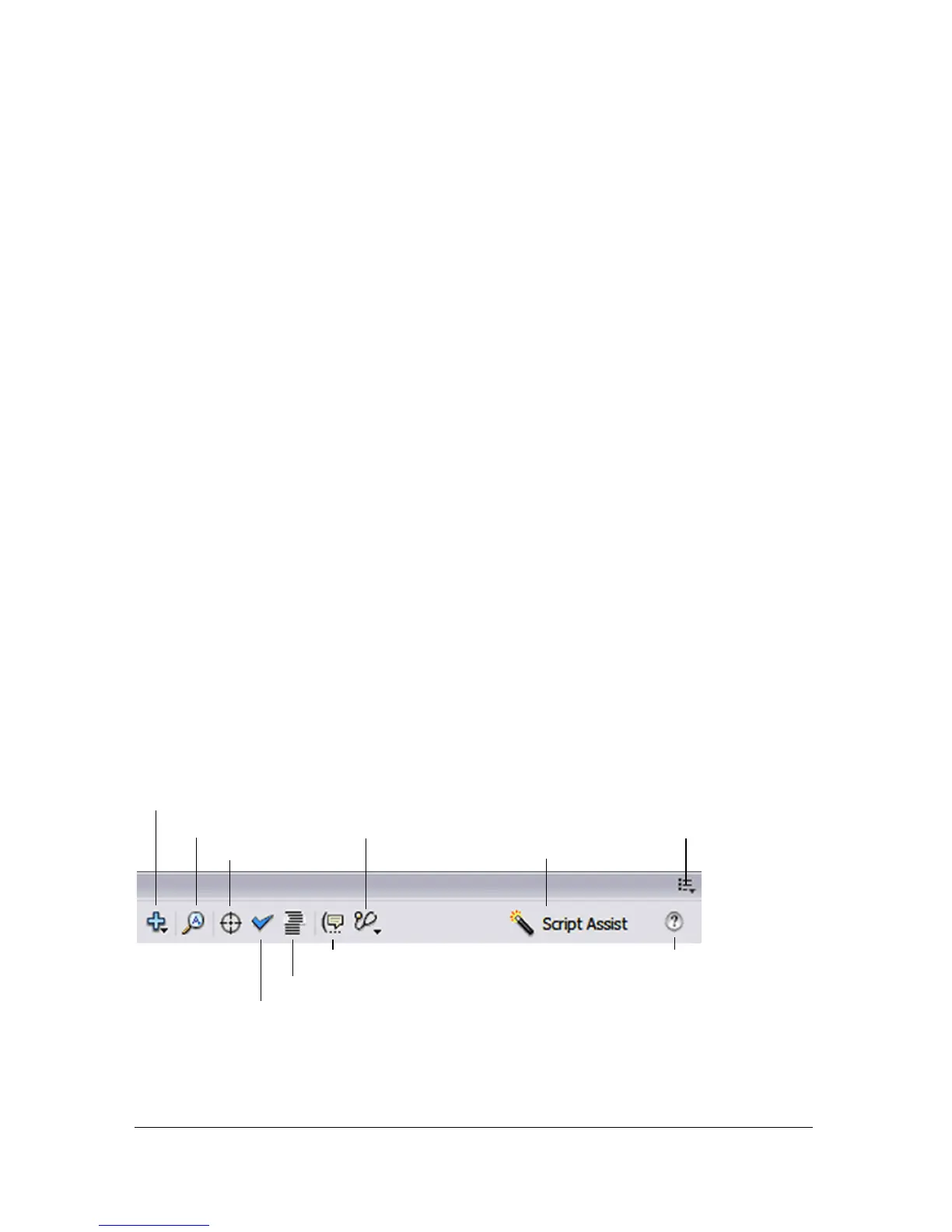
About the Actions panel and Script window toolbars
The Actions panel and Script window toolbars contain links to the code-assistance features
that help simplify and streamline coding in ActionScript. The toolbars are different
depending on whether you are using the ActionScript editor in the Actions panel or the Script
pane. The following image displays features found in the Actions panel toolbar. The marked
options are only available in the Actions panel.
Pop-up menu *
Debug Options *
Reference
Find
Add a new item to the script
Insert target path *
Check Syntax
Auto Format
Show Code Hint
Script Assist *
* Actions panel only



 To Next Page