About coding in the Actions panel and Script window 43
2. To access ActionScript preferences in the Script window, select Edit > Preferences and then
click ActionScript (Windows) or Flash > Preferences and then click ActionScript
(Macintosh).
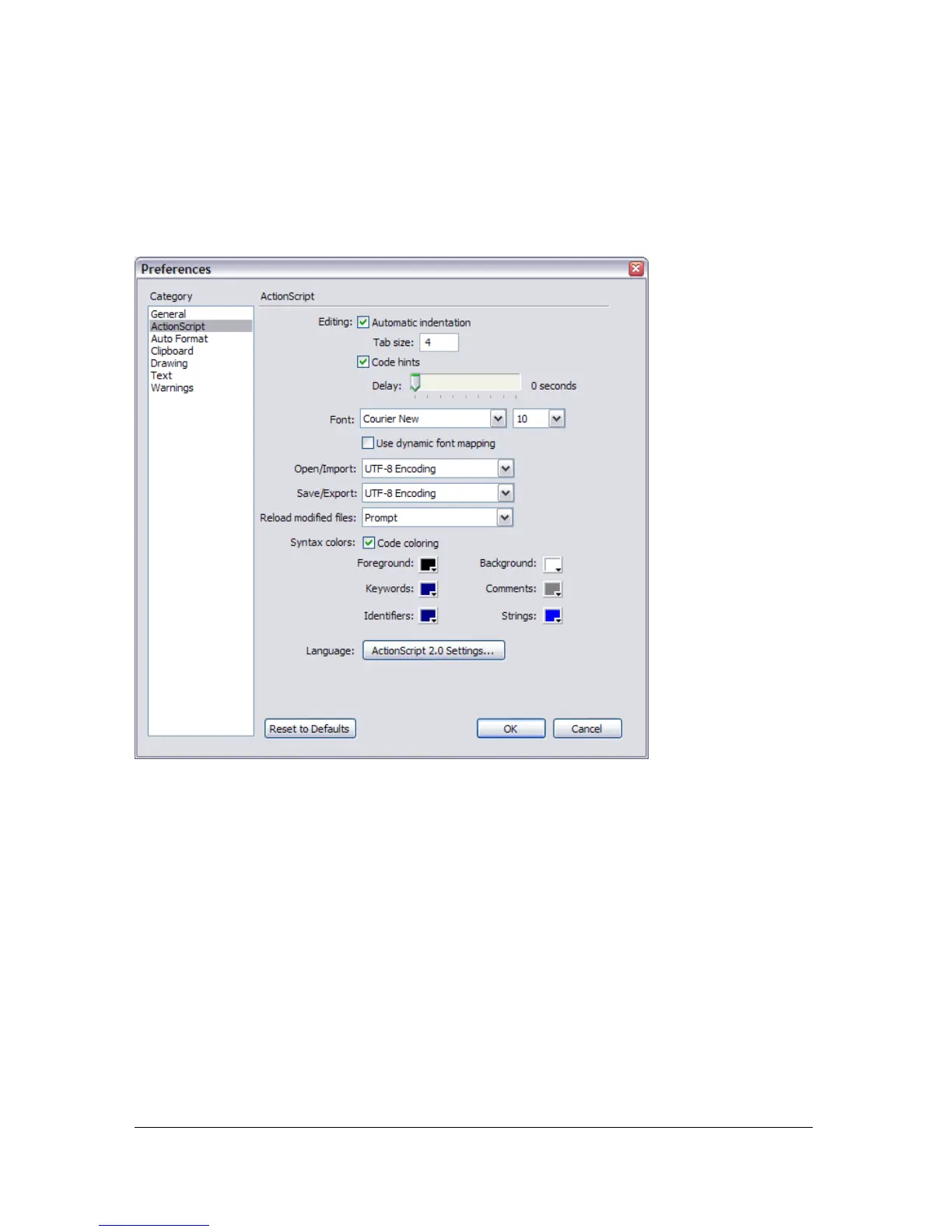
The following image shows the ActionScript settings you can change in Flash 8.
You can set the following preferences:
Automatic indentation When automatic indentation is turned on, the text you type after
an opening parenthesis [(] or opening curly brace ({) is automatically indented according to
the Tab Size setting in ActionScript preferences. For more information, see “Formatting code”
on page 50.
Tab size Specifies the number of characters a new line is offset by when automatic
indentation is turned on.
Code hints Enables code hinting in the Script pane. For more information about using
code hinting, see “About code hinting in Flash” on page 44.
Delay Specifies the delay (in seconds) before code hints are displayed.
Font Specifies the font used in the Script pane.



 To Next Page