568 Creating Interaction with ActionScript
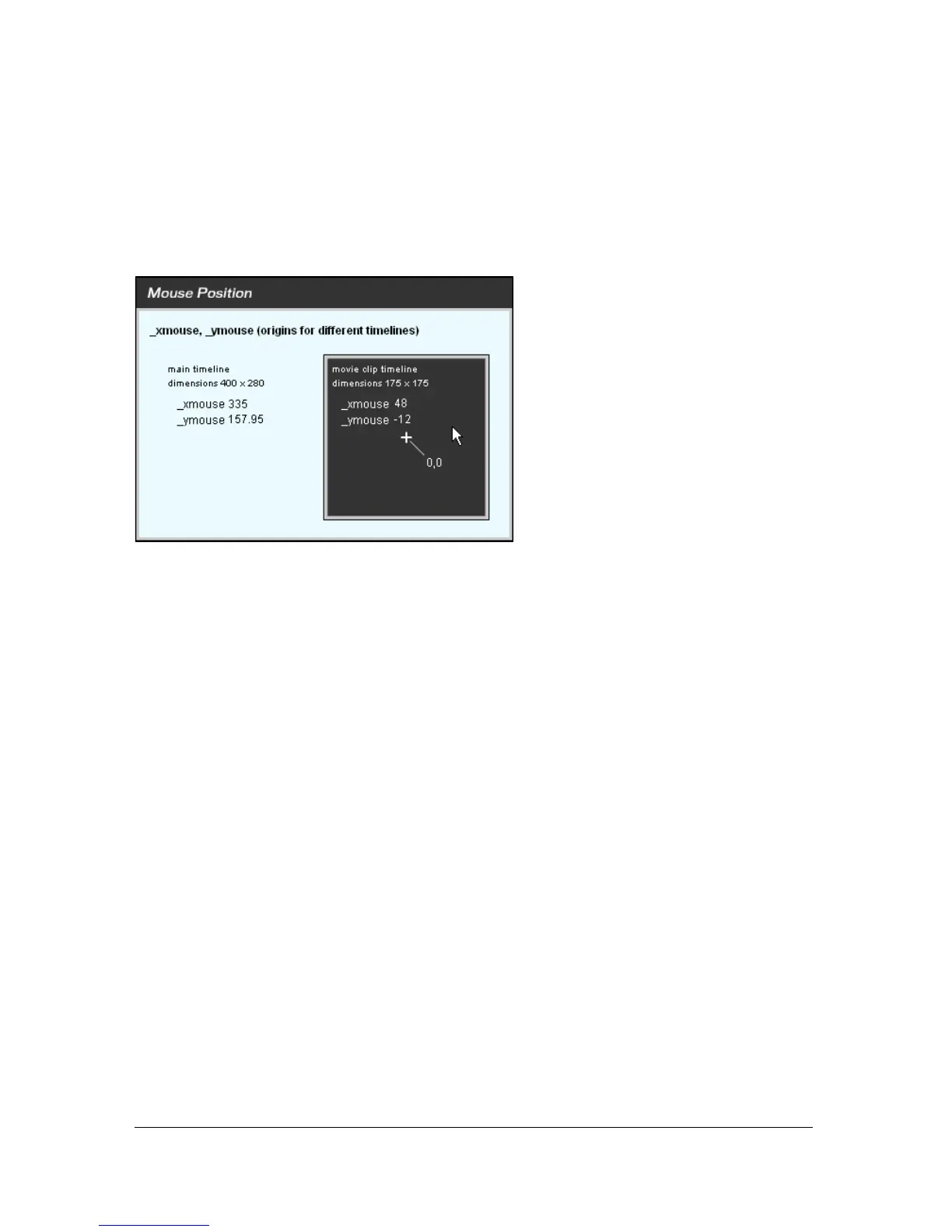
Each timeline has an _xmouse and _ymouse property that returns the location of the pointer
within its coordinate system. The position is always relative to the registration point. For the
main timeline (
_level0), the registration point is the upper left corner. For a movie clip, the
registration point depends on the registration point set when the clip was created or its
placement on the Stage.
The
_xmouse and _ymouse properties within the main timeline and a movie clip timeline
The following procedure shows several ways to get the pointer position within the main
timeline or within a movie clip.
To get the current pointer position:
1. Create two dynamic text fields, and name them box1_txt and box2_txt.
2. Add labels for the text boxes: x position and y position, respectively.
3. Select Window > Actions to open the Actions panel if it is not already open.
4. Add the following code to the script pane:
var mouseListener:Object = new Object();
mouseListener.onMouseMove = function() {
// returns the X and Y position of the mouse
box1_txt.text = _xmouse;
box2_txt.text = _ymouse;
};
Mouse.addListener(mouseListener);
5.
Select Control > Test Movie to test the Flash movie. The box1_txt and box2_txt fields
show the position of the pointer while you move it over the Stage.
For more information about the
_xmouse and _ymouse properties, see _xmouse
(MovieClip._xmouse property) and _ymouse (MovieClip._ymouse property) in the
ActionScript 2.0 Language Reference.



 To Next Page