About local file security and Flash Player 689
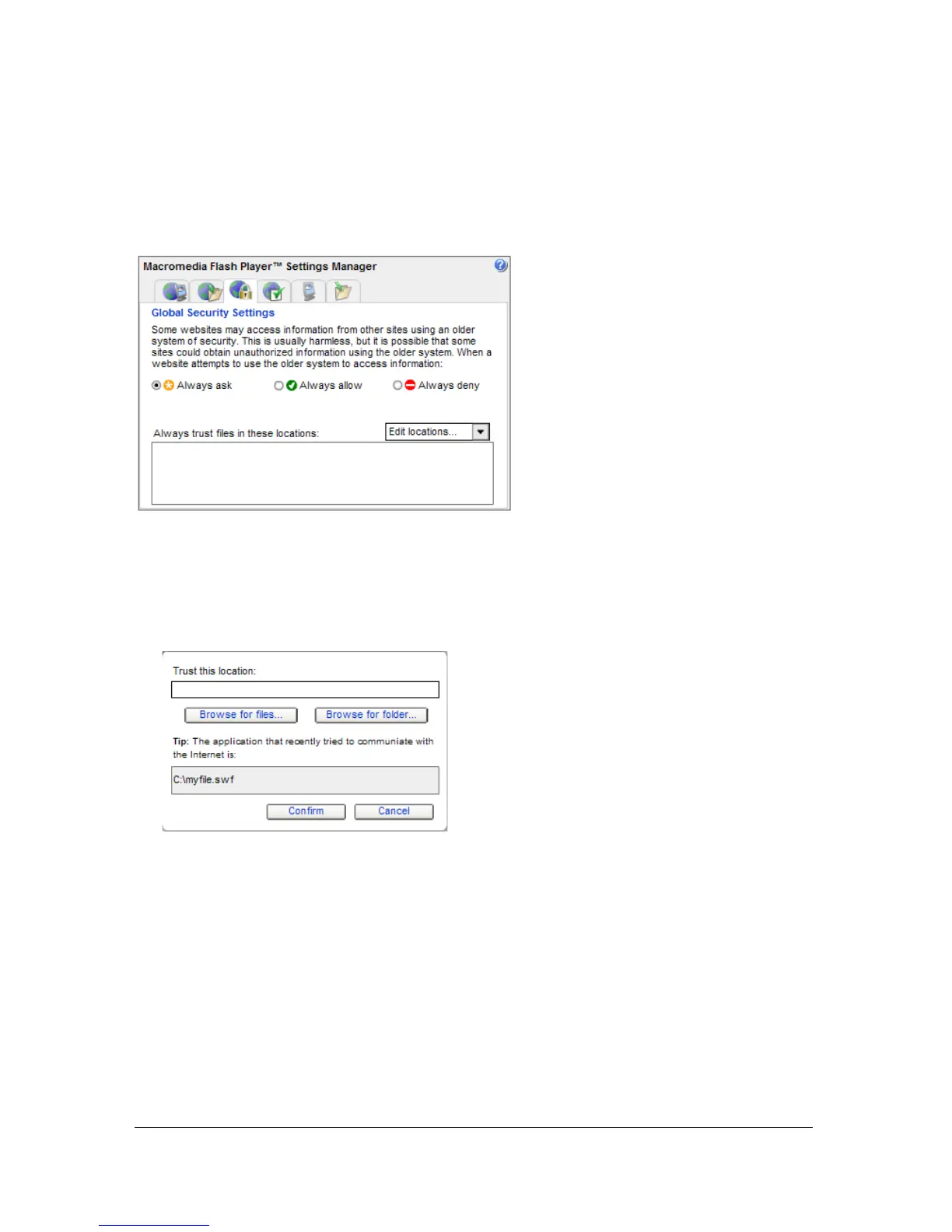
The following example shows how to specify that a local SWF file can communicate with the
Internet. When you test a file in a browser locally (File > Publish Preview > HTML), a
security dialog box might appear. If you click Settings, the Settings Manager Global Security
Settings panel appears
.
To specify that a local SWF file can communicate with the Internet and local
file system:
1. In the Global Security Settings panel, click the pop-up menu and select Add Location.
The Add Location box opens.
If you arrived at the Settings Manager by clicking the Settings button in a dialog box, the
Add Location box contains a path that is similar to C:\directoryname\filename.swf or /
Users/directoryname/filename.swf; this path tells you which file tried to communicate with
the Internet and was stopped by Flash Player security. If the path contains the content
that you want to let communicate with the Internet, copy and paste the path into
the Trust This Location box. Or, click one of the Browse buttons and find the
content yourself.



 To Next Page