Debugging your scripts 719
Displaying movie clip properties and changing
editable properties
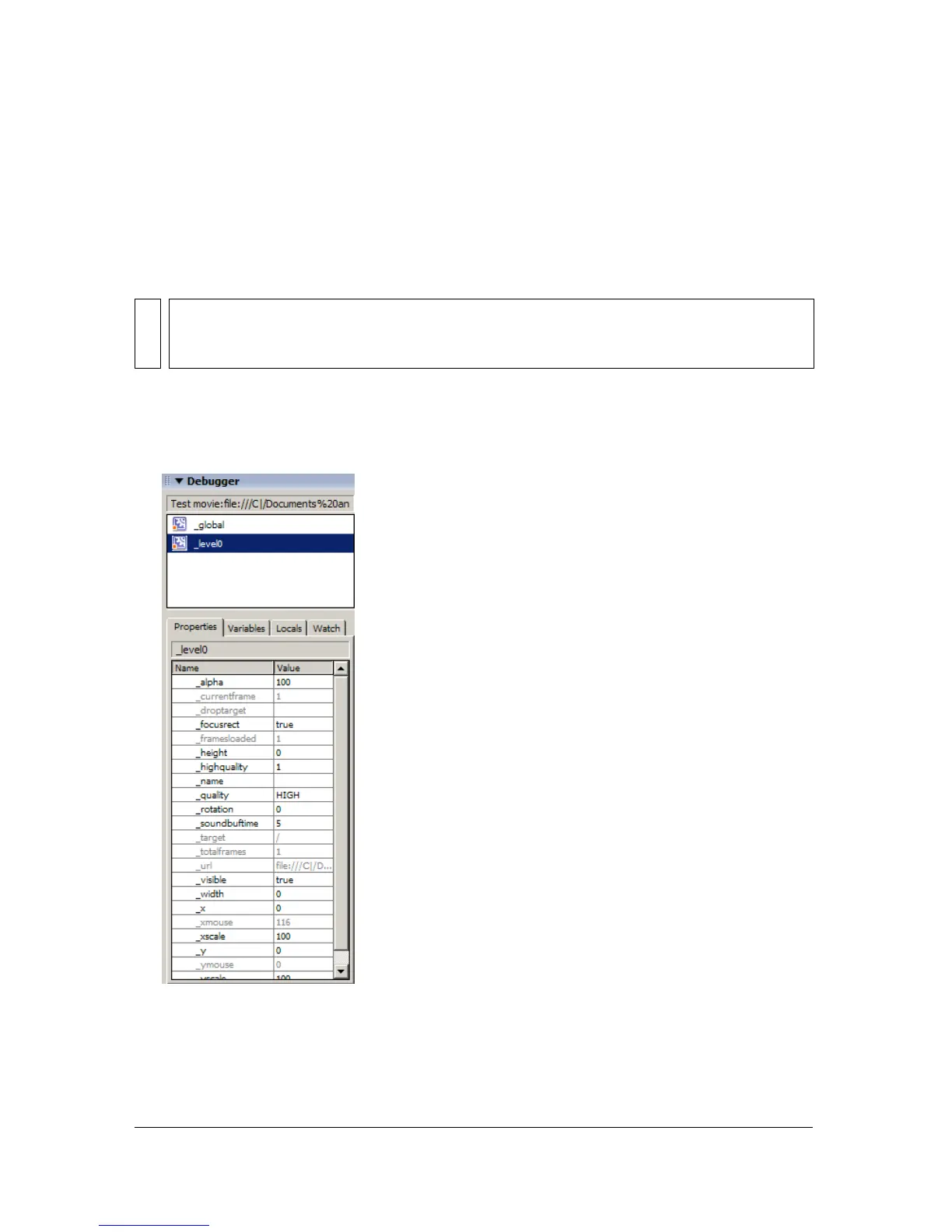
The Debugger’s Properties tab shows all the property values of any movie clip on the Stage.
You can change a value and see its effect in the SWF file while it runs. Some movie clip
properties are read-only and cannot be changed.
To display a movie clip’s properties in the Debugger:
1. Select a movie clip from the display list.
2. Click the Properties tab in the Debugger.
NOTE
If necessary, you can resize the various regions of the Debugger panel. When your
pointer changes between each region, you can drag to resize the Display list, Watch list,
and code view.



 To Next Page