16
MiniMad LIGHT CONTROLS
MICROMODUL8
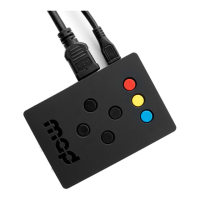
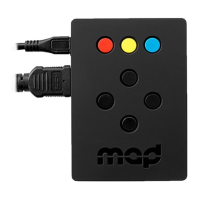
- Blue buttons: direct access to the 16 rst sequences
- First master knob: master luminosity
- Second master knob: master audio-level
OSC
The MiniMad declares itself as “MiniMad Light( - Nickname)” using the Bonjour discovery protocol, where
Nickname can be specied in the the Export MadLight Sequences to MiniMad dialog, for example:
“MiniMad Light - MAIN ROOM”
MiniMad listens to OSC commands on port 1111, in case the OSC software you’re using doesn’t support
Bonjour.
List of commands:
- /playing + integer OSC value (0 = pause, 1 = play): play/pause the media playback
- /pause: pauses the playback
- /play: starts the playback after a pause
- /replay: restarts the current sequence
- /previous_media: previous sequence
- /next_media: next sequence
- /playback_mode/{playback mode index}: set the playback mode (cf media playback mode list in
MadMapper’s export window), example: /playback_mode/1 to set the Repeat sequence list playback
mode
- /media_name/{sequence name}: set the current sequence by name, example: /media_name/light_
sequence_3 to play the sequence called light_sequence_3
- /media_index/{sequence index}: set the current sequence by index, example: /media_index/2 to play
the third sequence
- /media_index + integer OSC value: set the current sequence by index
- /master_audio_level + oat OSC value: set the master audio-level
- /master_luminosity + oat OSC value: set the master luminosity
- /shutdown + int OSC value: value = 1 will trigger the MiniMad shutdown which will be eective after 2,5
seconds, unless cancelled by a value = 0
Note that all indices start at 0.


 To Next Page