22
ADDITIONAL INFORMATIONS
BEHAVIOUR AFTER A POWER CUT
The MiniMad does support power cuts and failures, it will restart by itself once the power is back
However, we advise to make a clone of your SD-card(s) in case a data corruption happens that could
prevent the MiniMad from starting.
CONTROL YOUR MINIMAD WITH A MIDI CONTROLLER
MiniMad supports the MicroModul8 controller, in addition to buttons and USB-keyboard.
We might have plans for universal MIDI support for the MiniMad in the future, stay tuned.
EXPORT MATERIALS OR GENERATORS
MiniMad Video can natively play video and image les exported by MadMapper but doesn’t come
with Materials support. A solution to get them playing on the MiniMad would consist in recording your
MadMapper projector’s output using Syphon Recorder on Mac or Spout on Windows, then create a new
project with a single fullscreen quad displaying you projector’s recording, which will be exported to the
MiniMad.
INDUSTRIAL GRADE SD-CARD
In some situations where space is limited, the MiniMad units might get hot. If too hot for a long time, data
corruption may appear on entry level SD-card. In these situations we advise you to use an Industrial/
Military grade SD card. Such cards will allow you to run your installation for a very long time.
Industrial grade SD-cards are now available on the garageCube online shop.
REBOOT THE MINIMAD
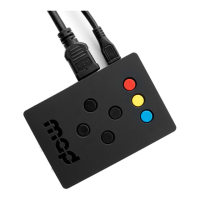
You can reboot the MiniMad by holding the three colored buttons at the same time.
SAVE MODIFICATIONS
No action is required: the MiniMad automatically saves all modications you do with your mapping, when
exiting the mapping mode (RED button).
SCHEDULE THE STARTING TIME OF THE MINIMAD
For now, the easiest way to schedule the MiniMad is to use a power plug with a timer: it will power the
MiniMad on and o at desired hours of the day.
Please refer to TURNING THE MINIMAD OFF section to determine if your MiniMad can be safely turned
o by cutting the power.


 To Next Page