1.2 ESTABLISHING INITIAL MODE:
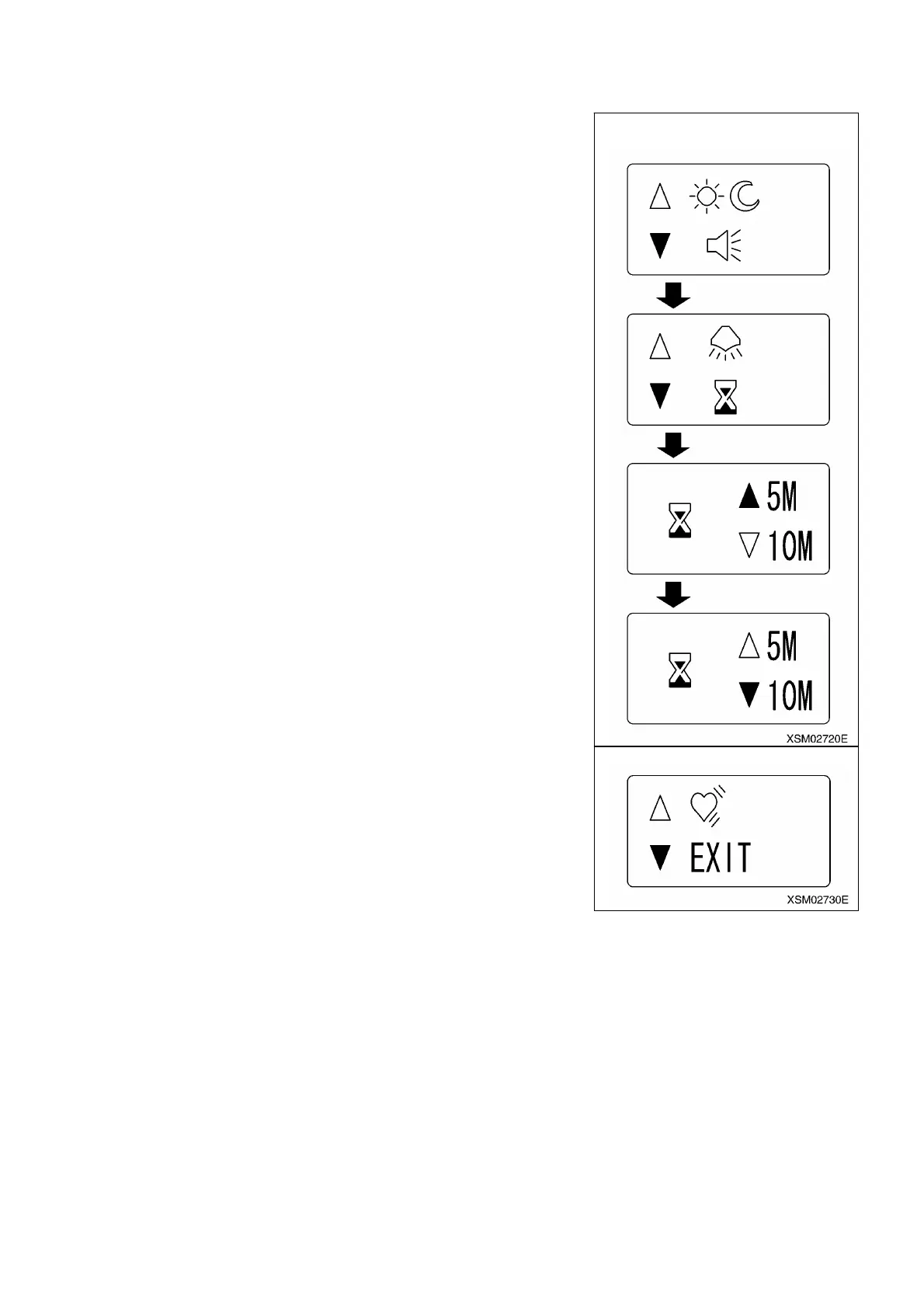
Example: Changing the setting of OFF timer from 5M to 10M.
1. Use K and L buttons a few times so that cursor ً or ٕ comes to the side of item
you desire to set.
2. When the cursor ً (or ٕ) comes to the side of “OFF timer”, push the D button.
The screen will become that for setting the OFF timer.
3. Use K and L buttons until cursor ٕ comes to the side of “10M”, before pushing the
D button.
That change the OFF timer to show “10M”.
4. To exit from the initial mode for user, bring the cursor ٕ to the side of “EXIT”. And
push the D button. The finishes the initial mode for user and the system goes into
crane mode.
Note: Unless you finish in this manner, the established setting will not become valid.
Retrieving the screen for initial mode
154



 To Next Page