10.4. Turning, changing or
removing the vinyl record
10.5. Levitation Mode / Levitating
the levitating platter
10.6. Dust cover 10.7. UPS (Uninterruptible Power
Supply)
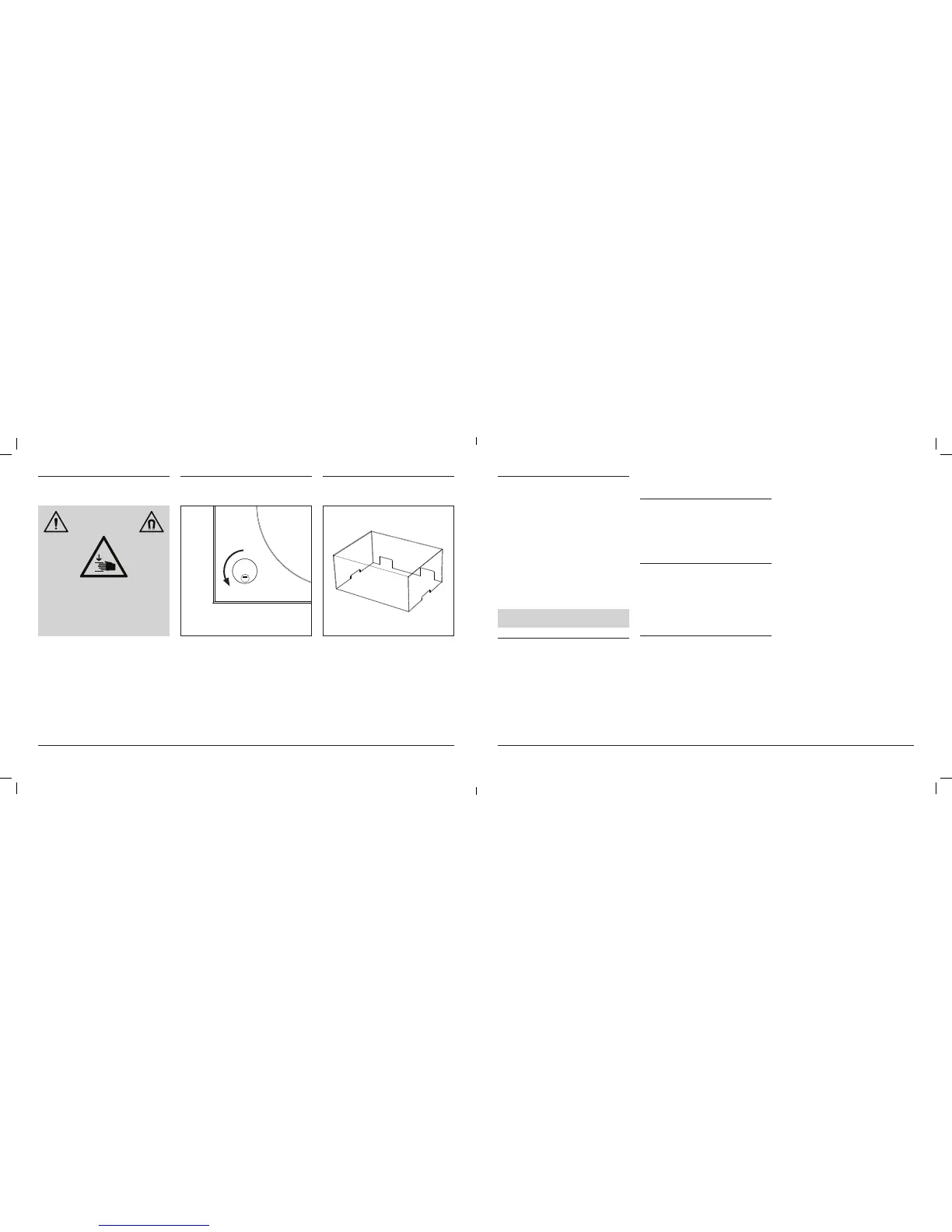
ONLY TURN, CHANGE OR REMOVE
THE VINYL RECORD WHEN THE
PLATTER FEET ARE RAISED AND
THE LEVITATING PLATTER IS NOT
LEVITATING, AND THE TONEARM
IS IN THE TONEARM REST.
WARNING
Remove the vinyl record by gently pressing on
the spindle, while at the same time lifting the
edges of the record vertically. This is especially
important when removing a vinyl record that
ts tightly on the spindle. Some records may
mount and dismount harder than others.
After turning or changing the record repeat
the process for playing a record if you wish to
continue listening to the record.
Make sure the turntable is set up propperly.
Turn the control button counter-clockwise
to – mode (6 o’clock).
The platter feet will retract and the levitating
platter will begin to levitate.
To stop the levitation mode, turn the control
button clockwise to OFF mode (9 o’clock).
The platter feet will rise and hold the levitating
platter in place.
This applies to owners of the MAG-LEV
Audio dust cover or any other dust cover.
Only use the dust cover when the turntable is
in OFF mode.
Do not use a dust cover that rests on or touch-
es the turntable body.
Do not use a dust cover with no openings for
ventilation.
Do not put any items on the dust cover.
Do not push or pull on the dust cover, for it may
damage the dust cover or the apparatus.
This apparatus uses capacitors, which are
installed inside of the turntable body, for the
use of regulating constant electrical current to
the turntable body and to store enough power
to bring the turntable to a safe stop in case of
a power outage. In case there is a power out-
age or the cable is accidentally unplugged, the
levitating platter will slowly stop turning, the
tonearm will lift up and the platter feet will rise
and hold the levitating platter. This will bring the
apparatus to a safe stop, avoiding damage to
the apparatus or any other possessions in the
vicinity.
When the turntable body is dirty or dusty, make
sure the turntable is in off mode, then discon-
nect the power cable plug, remove the turnta-
ble platter. Make sure to move the platter 50cm
(20“) away from the turntable, any metal, mag-
netic or electronic devices. Lower the turntable
feet (page 38), then wipe off the dirt and dust
with a soft, dry cloth.
Do not use benzenes, thinners, etc.
When storing the product for a long time, follow
Make sure to clean the levitating platter when
it is removed from the platter feet. If dirty, clean
the mirrors on the bottom of the levitating plat-
ter for optimal efciency and sensors to work
properly.
If dirt and grime are stuck to the stylus tip, clean
it with a commercially sold brush.
We recommend using a stylus cleaner (sold
separately) if the stylus tip is considerably dirty.
Clean the stylus tip by moving the brush from
the rear to the front of the stylus tip.
Be sure to only use the place mat provided or a
placemat from the MAG-LEV Audio list of rec-
ommended placemats that work well with ML 1
turntable (refer to website for the list).
If the turntable mat gets dirty, it can easily
scratch the record,so remove the mat periodi-
cally and wipe off any dust.
11. CARE
11.1. Turntable body
11.2. Platter
11.3. Stylus tip
11.4. Platter mat
the transportation of the apparatus and repack-
ing procedure. (page 39)
33



 To Next Page
 Loading...