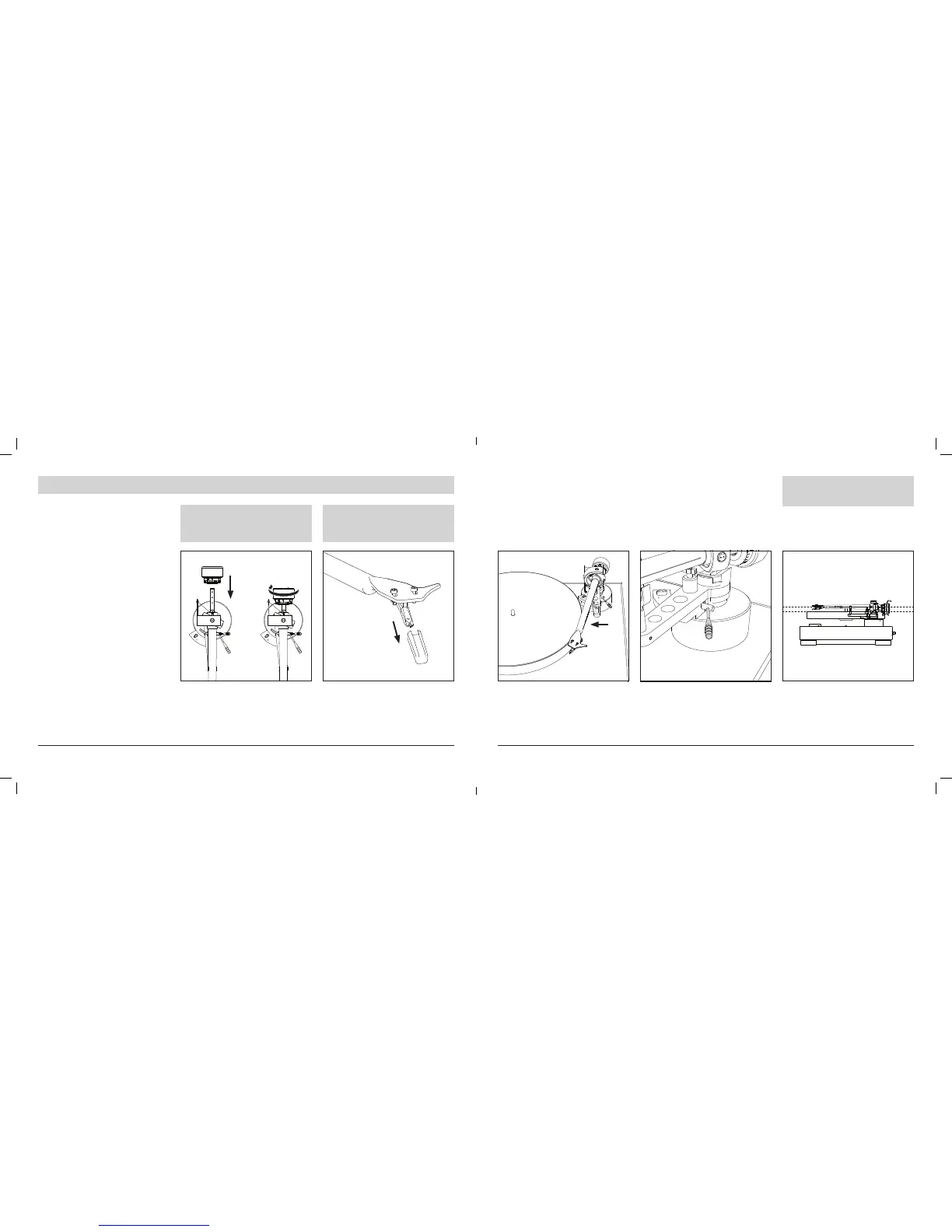
9. SETTING UP THE TONEARM
In order for the cartridge to pick up sound cor-
rectly from the record’s grooves, the tonearm’s
balance and tracking force must be adjusted
to t the specications of the cartridge’s. If the
tonearm’s balance and tracking force are not
properly adjusted, the record or the cartridges
stylus may become damaged.
Do not drag the cartridge’s stylus across the
record or mat when adjusting the tonearm’s bal-
ance or tracking force. Doing so may damage
the stylus.
Adjust the downforce prior to installing the anti-
skating weight.
1. 2. 3. 4.
With the tracking force gauge ring facing for-
ward attach the counterweight to the back of
the tonearm, and slowly turn it counterclock-
wise (to the left)
Remove the cartridge’s protector, by pulling
straight forward. Applying a downward force
may cause the stylus to come off the body.
Only low volume is output if the stylus has
come off, or is about to come off, so refer to
“Replacing the stylus” (page 34) to reattach the
stylus correctly.
Make sure the cueing lever is in downward
position.
Move the tonearm out of the tonearm rest.
WHILE HOLDING THE HEADSHELL,
REMOVE THE CABLE TIE USED TO
SECURE THE TONEARM AT THE TIME
OF DELIVERY.
You have to set the counterweight on
your own as it is necessary for it to be
packed separately, to ensure the safety
of the product.
5.
Turn the counterweight until the tonearm is
parallel to the platter.
For other cartridges follow the
instructions of cartridge
manufacturers.
21



 To Next Page