frame, such as Sony A7S II, then write the timecode into SEI message. SDI
supports to write system timecode or SMPTE RP-188 timecode (if present in
the input signal) into SEI message.
Closed caption SEI message: turn on the switch to encode closed captions
(if present in the input signal) into H.264/H.265 (HEVC) SEI message. Native
CEA-608 and 608 over 708 captions are both supported. It is off by default.
Note that it is only supported by SDI product.
■
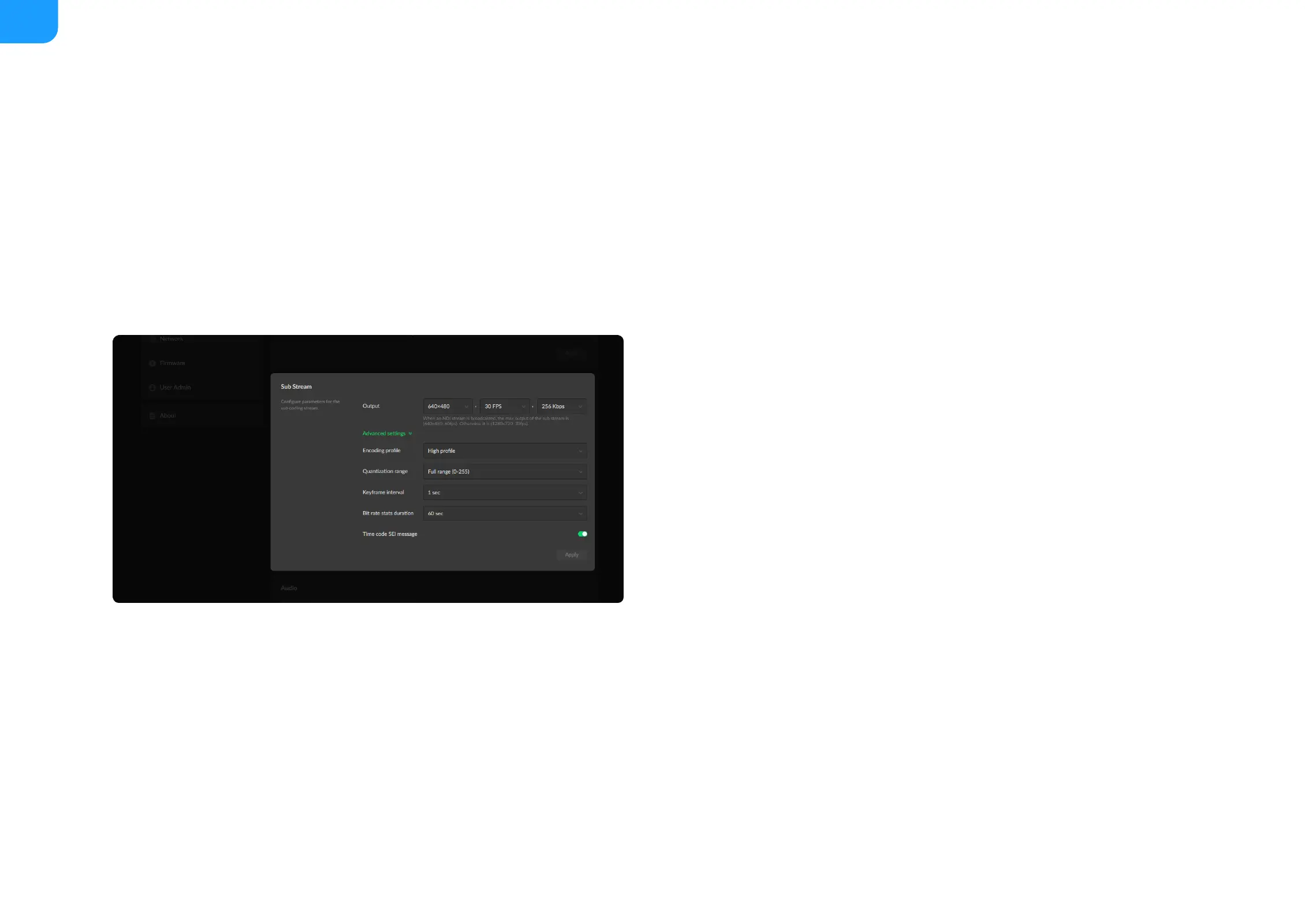
Output: by default, it is 1280x720p30 at 1Mbps.
■
Encoding profile: sub stream uses H.264 encoder. The profiles can be High
profile, Main profile and Baseline.
■
Quantization range: options are Full range(0-255), Limited range(16-235)
■
Keyframe interval: options are 1, 2, 5, 10, 30, 60sec. A less number will
result in a larger file size and less buffer time for seeing the first frame.
■
Bit rate stats duration: adjust bit rate by image complexity to ensure the
stability of the code stream within the set period. The default value is
recommended. A smaller value means more information may need to be
discarded when the image data bursts.
■
Time code SEI message: turn on the function to get A/V sync between
multiple devices which support this SEI message as well. It is off by default.
■



 To Next Page