To ensure a smooth video, you are recommended to connect to a
wired network.
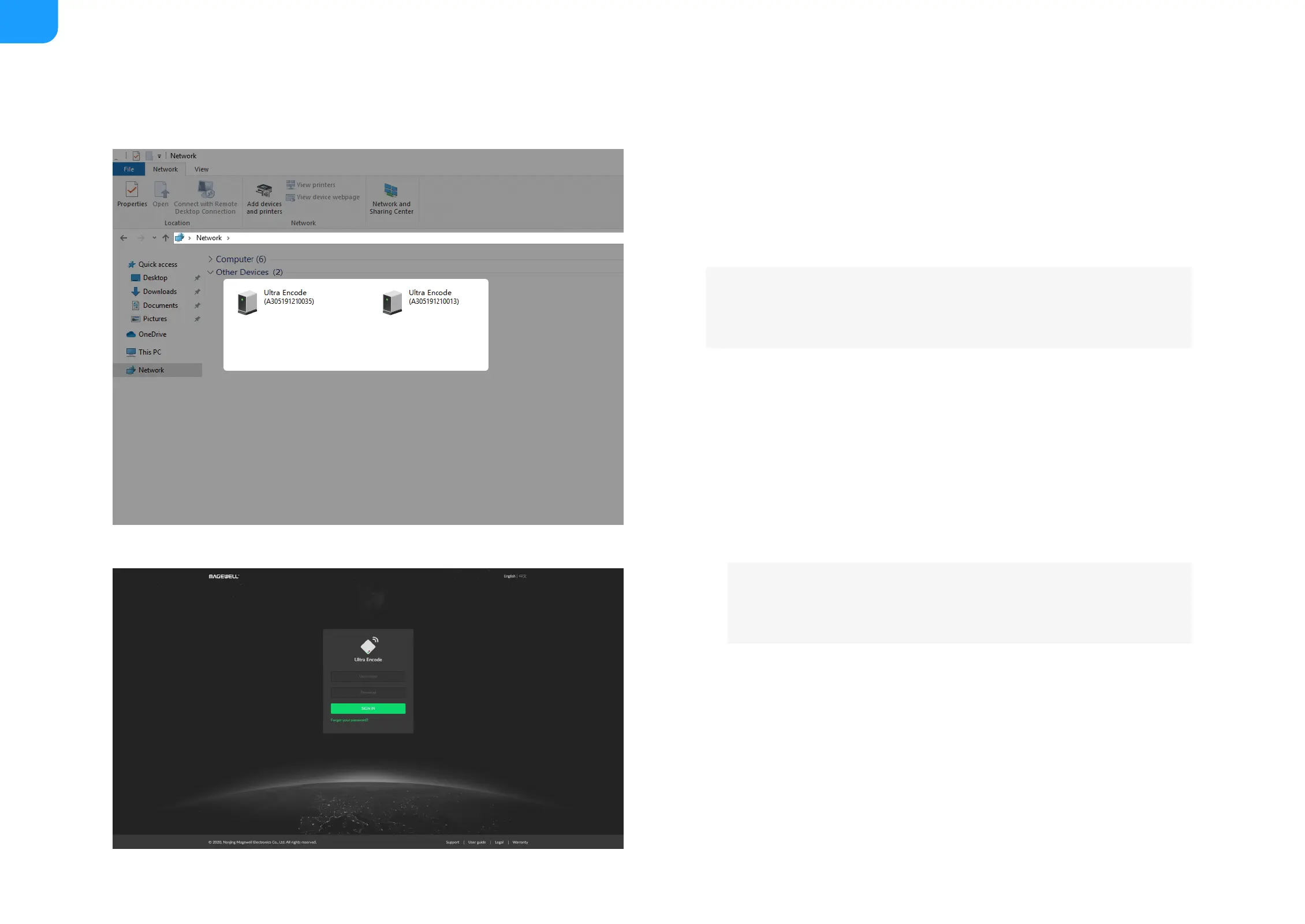
Via File Explorer on Windows 7/8/8.1/10
i. Open File Explorer in your PC, then locate your device in Network
> Other Devices.
ii. Double click the device icon, open the sign page of Web GUI.
■
Via device Wi-Fi AP, IP Address: 192.168.48.1
i. In your smartphone/pad/laptop, turn on WLAN, search for and
join the device AP named Ultra Encode + (Serial number).
The AP names after your gear's Serial number, and the password
is the last 8-number of the serial number. For example, a serial
number A304210101001 indicates the initial AP password is
10101001.
■
Plug included Wi-Fi antenna when you want to connect to a
wireless network.



 To Next Page